





OnlyFans Payout Guide: Methods, Minimum and How Long It Takes
Where a fan's $100 goes on OnlyFans
The standard split on subscriptions, pay-per-view messages and tips
- You, the creator$80
- OnlyFans$20
Withdrawal, bank and currency fees can take a little more before the money reaches you. See the payout options below.
Source: OnlyFans Terms of Service
In this article (15)
- OnlyFans payouts at a glance
- How does OnlyFans pay you?
- How much does OnlyFans take?
- Pending balance vs current balance
- How to withdraw money from OnlyFans
- OnlyFans payout schedule: manual, weekly or monthly
- OnlyFans minimum payout
- OnlyFans payout methods
- How long does OnlyFans take to pay?
- What can reduce or hold your OnlyFans payout
- OnlyFans payouts and taxes
- How much do OnlyFans creators get paid?
- If you work with an agency
- FAQ
- Sources
An OnlyFans payout is the money you move from your OnlyFans balance to your own bank account, card or e-wallet. OnlyFans keeps 20% of every fan payment and you get 80%. Your share stays pending for about 7 days, then you can withdraw it once it reaches the minimum, which is $20 for most payout methods. Payouts usually arrive within 3 to 5 business days, sometimes up to 10.
Below: how OnlyFans pays you, how much it takes, pending and current balance, how to withdraw, the payout schedule, minimums, every payout method, how long it takes, what can reduce or hold a payout, and taxes. This guide is for creators; for ways to earn more in the first place, see how to make money on OnlyFans. If you are a fan and want to know how to pay, read OnlyFans payment methods.
OnlyFans payouts at a glance
| Question | Answer |
|---|---|
| How much OnlyFans takes | 20% of each fan payment; you keep 80% |
| Currency | Earnings are typically in US dollars |
| Waiting period | Earnings stay pending for about 7 days; 21 days in a small number of countries |
| Minimum payout | $20 for most payout methods; your Statements page shows yours |
| Payout schedule | Manual by default, or weekly or monthly |
| Payout methods | Depending on your country: Skrill, Paxum, Cosmo Payments, local bank transfer or SEPA |
| How long it takes | Usually 3 to 5 business days, sometimes up to 10 |
| What can reduce it | Currency conversion, your bank's fees, refunds and chargebacks |
We read OnlyFans' Terms of Service (last updated October 2026) on 20 November 2026, and its Help Center payout pages on 20 October 2026. Payout rules and the methods offered can change, so the payout screen in your own account is the final word.
How does OnlyFans pay you?
OnlyFans collects every payment from fans, takes its fee, and adds your share to your balance. You never get paid by a fan directly. When you open a creator account, the Terms require you to add a bank account or other payment details and to pick a "Payout Option", the method OnlyFans uses to send you your money. You also give OnlyFans your tax details at that point.
Your earnings can come from several places. The Statements page in a creator account splits them into:
- Subscriptions: monthly payments from your fans, which renew until they cancel.
- Tips: one-off payments a fan sends you.
- Posts: pay-per-view posts on your page.
- Messages: pay-per-view (PPV) messages you sell in chat.
- Streams: earnings from live streams.
- Referrals: what OnlyFans pays you when a creator you referred earns. Its Help Center says this is 5% of the referred creator's earnings for their first 12 months, up to $50,000 per creator.
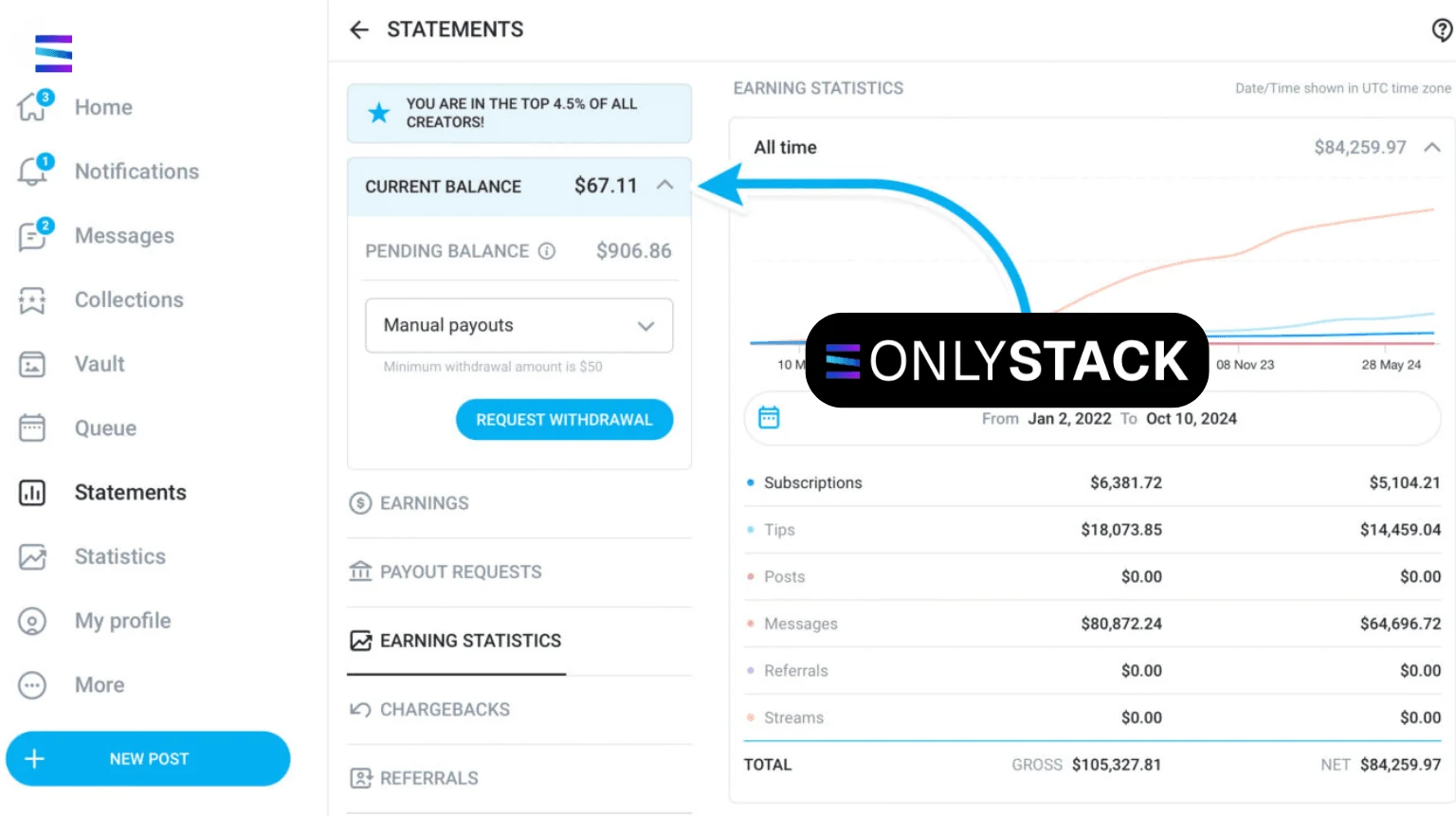
On most accounts, messages bring in far more than subscriptions. In OnlyFans' own accounts for the year to November 2025, messages, PPV and tips made up 73% of its revenue and subscriptions 27% (OnlyFans average income has the source).
How much does OnlyFans take?
OnlyFans takes 20% of every fan payment. You keep 80%. The Terms call it "our fee": 20% of the total fan payment, deducted from each payment. It is the same for subscriptions, tips, PPV messages and posts, and there is no monthly fee for a creator account.
| Fan pays | OnlyFans keeps (20%) | Added to your balance (80%) |
|---|---|---|
| $10 subscription | $2 | $8 |
| $25 PPV message | $5 | $20 |
| $100 tip | $20 | $80 |
Each line of your earnings statement shows the same thing: the amount, the 20% fee and the net. The Terms say fan payments exclude tax, which is added on top of the price, so it doesn't come out of your 80%. Other costs can come off later, such as your bank's fees or an agency's commission. Our guide to how much OnlyFans takes covers them all.
Pending balance vs current balance
Your Statements page shows two balances:
- Pending balance: money you've earned that you can't withdraw yet. OnlyFans holds it so refunds and chargebacks can be dealt with first.
- Current balance: money that has cleared. This is the only money you can withdraw.
Earnings move from pending to current on their own. OnlyFans' Help Center says they stay pending for 7 days. For creators in a small number of countries with many reversed transactions, it is 21 days.
The holding period doesn't end the risk of a chargeback. A fan can still dispute a payment after your money has cleared or been paid out, and OnlyFans can then take your share back from your earnings. Read OnlyFans chargebacks for how that works and how to protect yourself.
How to withdraw money from OnlyFans
- Open Statements. Click your avatar or the More menu and choose Statements.
- Check your current balance. It has to be at least the minimum for your payout method.
- Click Request Withdrawal.
- Enter the amount and confirm.
- Track it under Payout Requests on the same page.
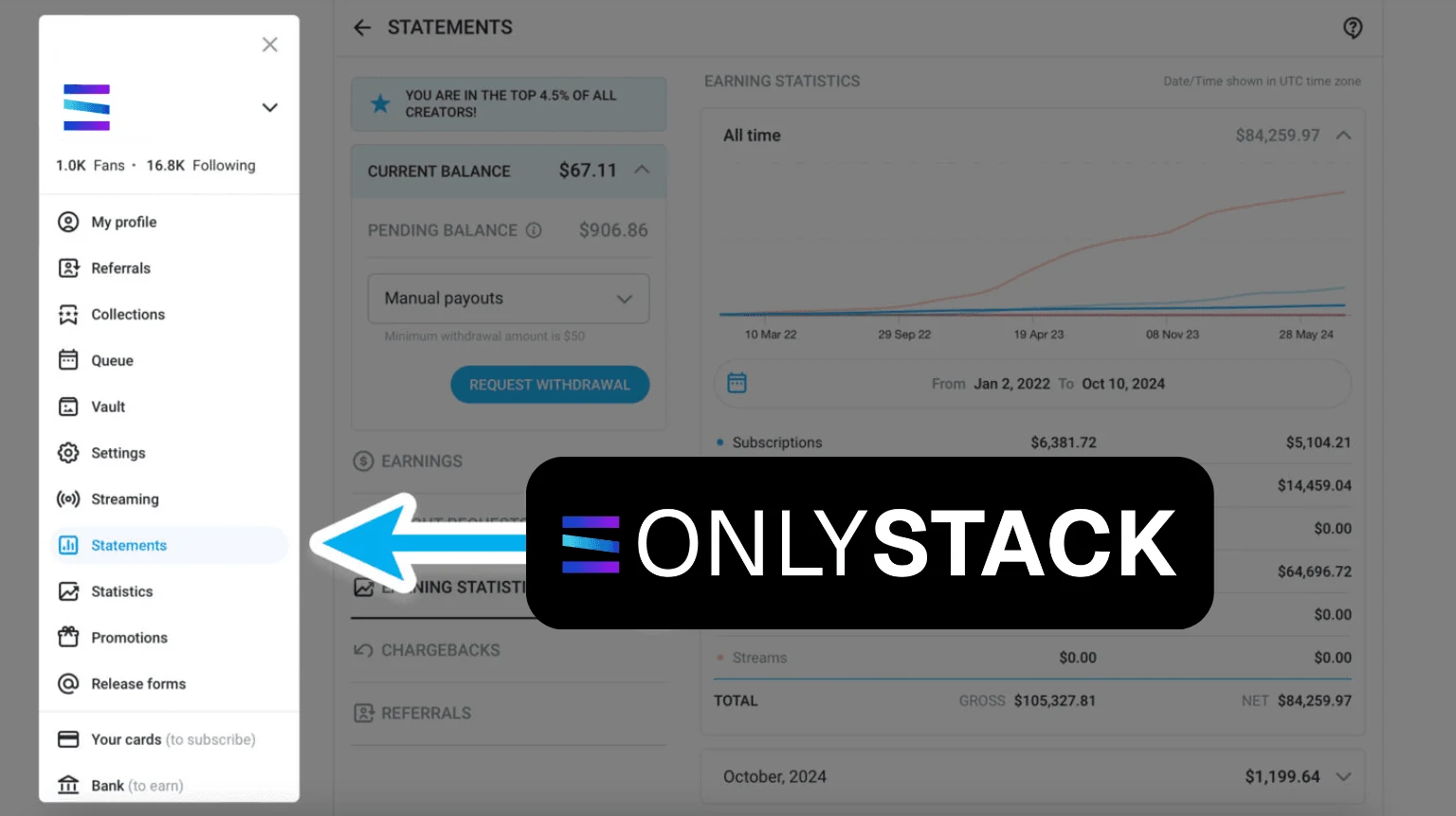
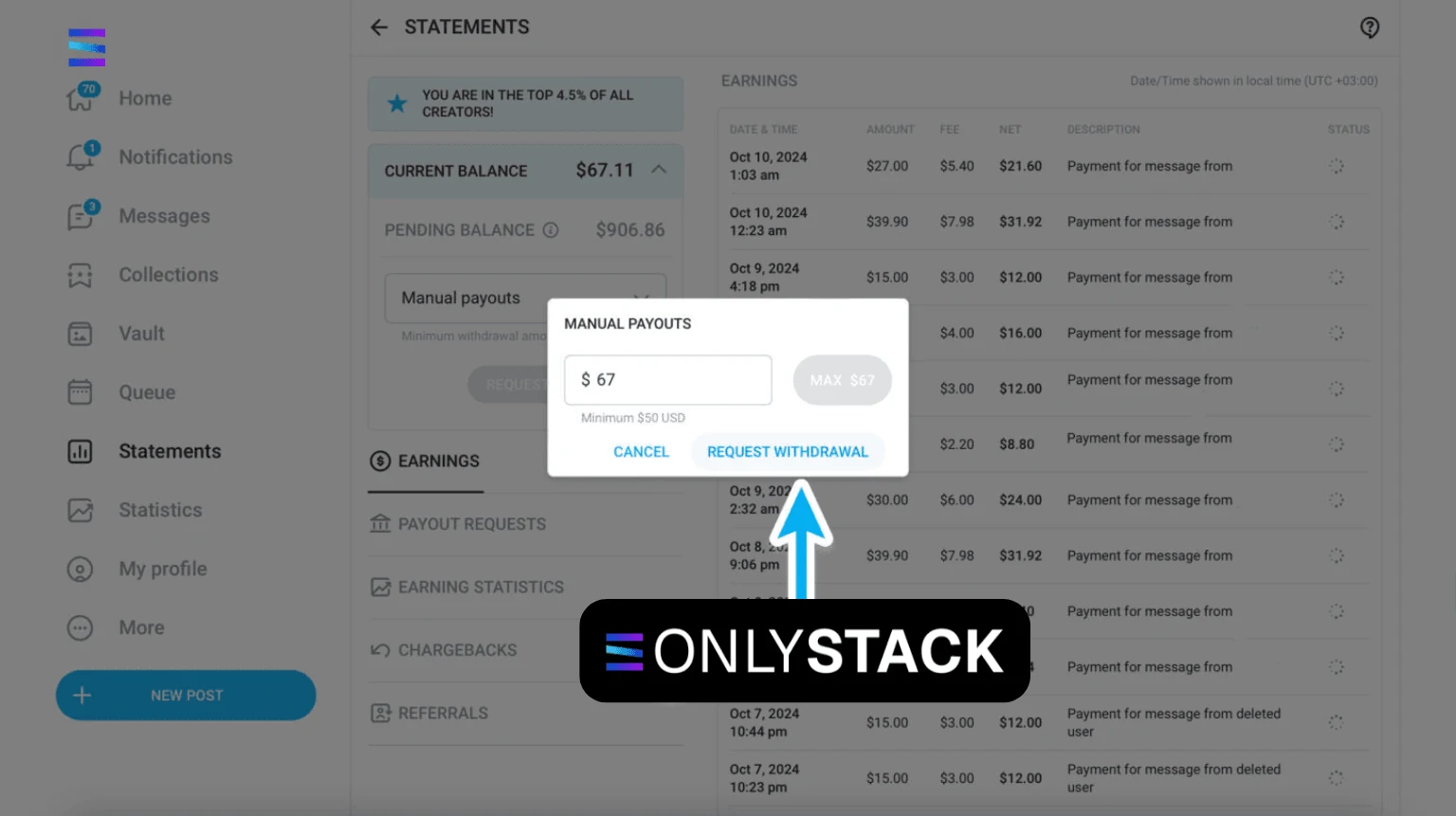
The Terms say earnings can only be withdrawn "when reflected in your OnlyFans account", and only once your balance meets the minimum payout. If you haven't picked a payout method yet, you'll need to do that first.
OnlyFans payout schedule: manual, weekly or monthly
Payouts are manual by default: nothing leaves your account until you press Request Withdrawal. You can change this in the payouts menu on the Statements page and have OnlyFans pay you weekly or monthly instead.
| Schedule | How it works | Good for |
|---|---|---|
| Manual (default) | You request each payout yourself | Choosing when money moves, for example before a bill is due |
| Weekly | OnlyFans sends your current balance every week | Steady cash flow without having to remember |
| Monthly | OnlyFans sends your current balance once a month | Fewer transfers, which helps if your bank charges per transfer |
Whatever the schedule, only your current balance is paid out. Money still pending waits for the next payout.
OnlyFans minimum payout
The minimum payout is $20 for most payout methods, according to OnlyFans' Help Center. It is set per method, so yours may be different. The Statements page shows the minimum for the method you've chosen, under the payout menu.
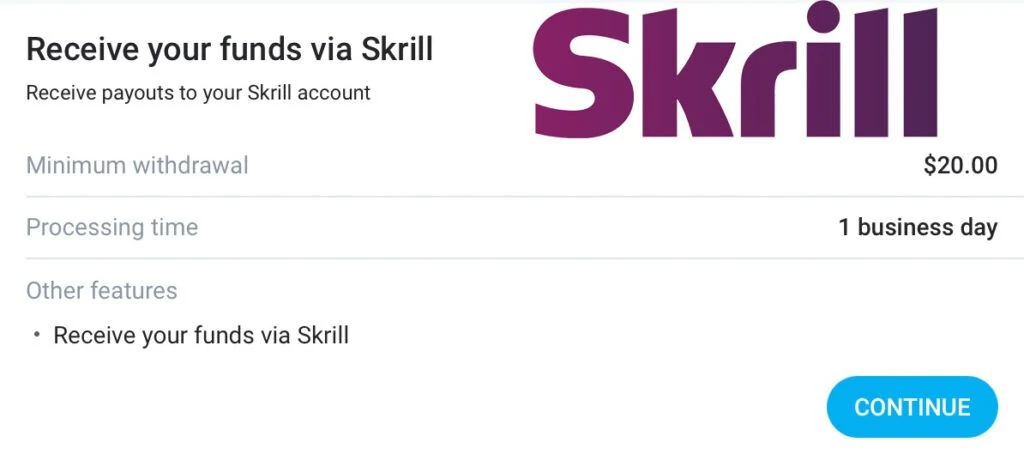
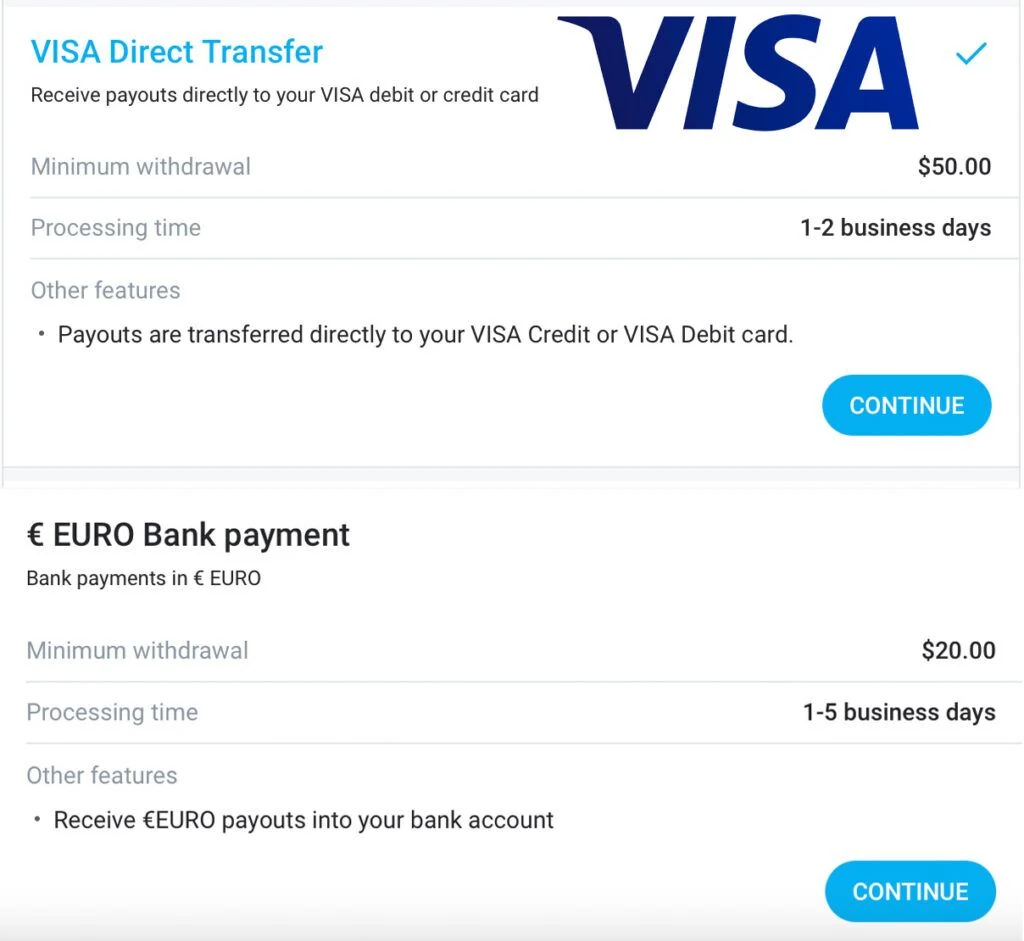
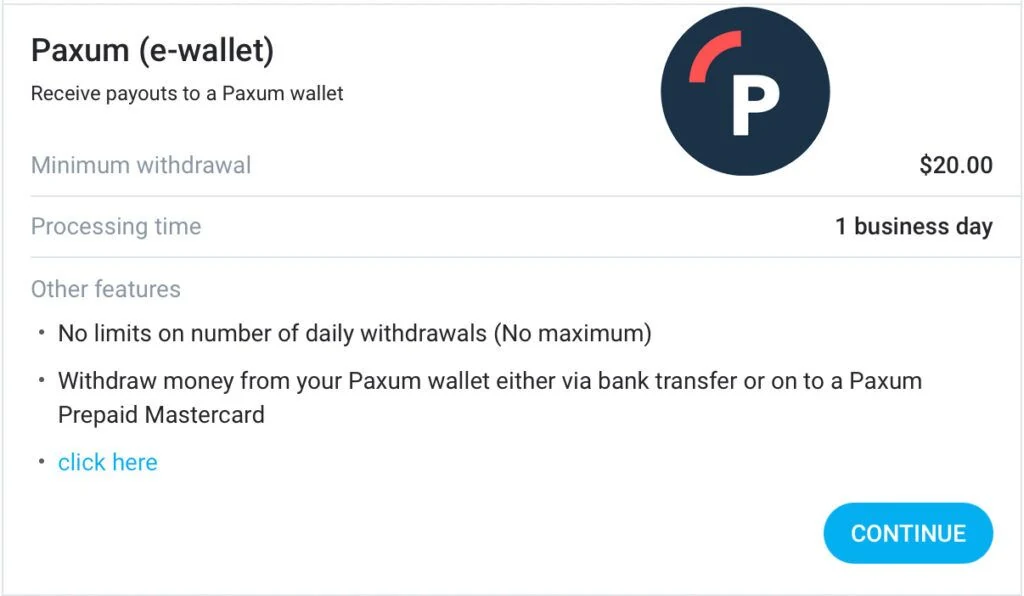
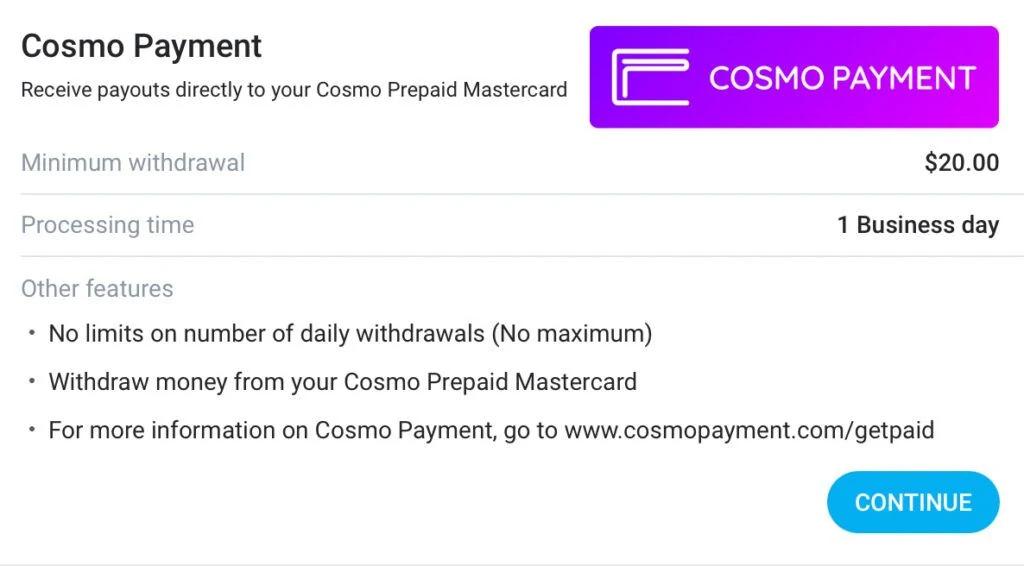
When we took the screenshots in this guide (in a creator account, October 2024), Skrill, Paxum, Cosmo Payment and euro bank payments each showed a $20 minimum, and Visa Direct Transfer showed $50. Check the current figure in your own account before you pick a method.
OnlyFans payout methods
Which methods you see depends on where you live. OnlyFans' Help Center lists Skrill, Paxum, Cosmo Payments, local bank transfer and SEPA (euro bank transfer). PayPal is not a payout method.
| Payout method | Where the money goes | Minimum shown (Oct 2024) | Processing time shown (Oct 2024) |
|---|---|---|---|
| Local bank transfer | Your bank account, in your country | See your payout screen | See your payout screen |
| SEPA / euro bank payment | A bank account in euros | $20 | 1 to 5 business days |
| Skrill | Your Skrill e-wallet | $20 | 1 business day |
| Paxum | Your Paxum e-wallet; from there to a bank or a Paxum Prepaid Mastercard | $20 | 1 business day |
| Cosmo Payment | A Cosmo Prepaid Mastercard | $20 | 1 business day |
| Visa Direct Transfer | Your Visa debit or credit card | $50 | 1 to 2 business days |
The last two columns are what OnlyFans' payout screen showed in our account in October 2024. For planning, use the Help Center's overall figure of 3 to 5 business days.
Bank transfer and SEPA
A bank transfer sends your money straight to your bank account. SEPA is the euro version, for a bank account in euros. It's the simplest option if you just want the money in your bank. Remember that your earnings are in US dollars: if your account is in another currency, the amount is converted, and the Terms say the final amount includes conversion fees.
Skrill and Paxum (e-wallets)
An e-wallet holds your money in an online account, and you move it on to your bank or spend it from there. OnlyFans' payout screen describes Paxum as letting you withdraw "via bank transfer or on to a Paxum Prepaid Mastercard". You need an account with the wallet provider, and it has its own fees and checks, so read its fee page before you choose it.
Cosmo Payment (prepaid card)
Cosmo Payment pays your earnings onto a Cosmo Prepaid Mastercard, which you then spend from or withdraw from. Like the e-wallets, the card provider sets its own fees.
How to choose
- Use the one your country offers that lands where you need the money. If you pay bills from your bank, a bank transfer saves a step.
- Compare the total cost, not just OnlyFans' side. OnlyFans doesn't set your bank's or wallet's fees. Check the provider's fee page for withdrawals, currency conversion and cards.
- Think about currency. Payouts start in US dollars. A dollar account or a wallet that holds dollars may let you choose when to convert.
- Check the minimum if you earn little. A $50 minimum holds back small payouts longer than a $20 one.
How long does OnlyFans take to pay?
Two waits add up: about 7 days pending, then 3 to 5 business days for a payout to arrive, sometimes up to 10, according to OnlyFans' Help Center.
An example with those standard timings. A fan tips you on a Monday:
| When | What happens |
|---|---|
| Monday, day 1 | The tip appears in your pending balance |
| About 7 days later | It moves to your current balance |
| The same day | You request a withdrawal (or your weekly or monthly payout runs) |
| 3 to 5 business days later | The money usually reaches you; sometimes it takes up to 10 |
So money earned today usually reaches you in about two weeks. It takes longer if you're in a country with a 21-day hold, if you're on a monthly schedule, or if your balance is below the minimum.
If a payout is late:
- Check Payout Requests on the Statements page to see its status.
- Check that your payout details (bank account, wallet email or card) are correct and still active.
- Count business days only. Weekends and bank holidays don't count.
- After 10 business days, contact OnlyFans support.
What can reduce or hold your OnlyFans payout
| What | What the Terms of Service say |
|---|---|
| Currency conversion | If a payout needs converting, the final amount includes conversion fees |
| Your bank's fees | Your bank may charge for international transfers, handling currency or receiving funds |
| Refunds and chargebacks | If a fan gets a refund or chargeback, OnlyFans may deduct your share of it |
| Suspected fraud | OnlyFans may withhold earnings it suspects come from unlawful or fraudulent activity, by you or by the fan |
| Tax non-compliance | OnlyFans may close an account or restrict its payouts |
| Liens and court orders | OnlyFans may withhold earnings or pay them to whoever a court or the law entitles |
| Breaking the Terms | OnlyFans may use your earnings to cover its loss |
If OnlyFans treats earnings as forfeited, the Terms say you can dispute that decision through its Complaints Policy.
If you close a creator account, your money isn't lost. The Terms say the account stays open until your fans' active subscriptions run out. OnlyFans then pays out your unpaid earnings and deletes the account.
OnlyFans payouts and taxes
OnlyFans doesn't take income tax off your payouts. Its Terms say creators are "responsible for their own Tax affairs", and that you must report all payments you receive from OnlyFans to the tax authority where you live.
For US creators, OnlyFans lists Form W-9 (which you give to OnlyFans) and Forms 1099-NEC and 1099-MISC among the tax documents it holds. For payments made in 2026, you get a 1099-NEC if OnlyFans paid you $2,000 or more. Every dollar is still taxable even if no form arrives. Keep your earnings statements: they let you check any 1099 against what you were paid.
The forms, self-employment tax, quarterly payments and deductions are all in our OnlyFans taxes guide, with links to the IRS pages. This is general information, not tax advice.
How much do OnlyFans creators get paid?
Less than most people think. OnlyFans paid creators $6.2 billion in the year to November 2025. That is about $2,480 a year per active creator, or about $205 a month, and about $1,225 per registered creator account. These figures are worked out from the accounts OnlyFans' parent company filed at Companies House. They are averages, and a small number of top creators pull them up, so most creators earn less. The full numbers and sources are in OnlyFans average income.
To estimate your own payouts, use the free OnlyFans earnings calculator. Enter subscribers, price, PPV and tips, and it takes off the 20% fee and any agency commission.
If you work with an agency
The Terms say OnlyFans' relationship is with the creator, not with anyone who helps run the account. Payouts go to the creator's own payout method, and an agency is paid its commission under its contract with the creator. Before you sign, check whether that commission is a share of what fans pay (gross) or of what you receive after OnlyFans' 20% (net). On $100 from fans, 30% of gross is $30 and 30% of net is $24. Our OnlyFans model contract generator helps put that in writing.
Agencies that use OnlyStack see each fan's total spend across the accounts they manage. OnlyStack does not touch payouts, which stay between the creator and OnlyFans.
FAQ
How does OnlyFans pay you?
OnlyFans collects every fan payment, keeps 20% and adds 80% to your balance. After about 7 days it moves to your current balance, and you withdraw it to the payout method you set up: a bank transfer, SEPA, Skrill, Paxum or Cosmo Payments, depending on your country.
How long does OnlyFans take to pay?
Earnings are pending for about 7 days (21 in a small number of countries). After you request a payout, it usually arrives within 3 to 5 business days, sometimes up to 10.
What is the OnlyFans minimum payout?
$20 for most payout methods. It is set per method, and the Statements page shows the minimum for yours.
Does OnlyFans pay weekly?
Only if you choose it. Payouts are manual by default, and you can switch to weekly or monthly payouts on the Statements page.
Can OnlyFans pay out to PayPal?
No. PayPal is not an OnlyFans payout method.
Why is my OnlyFans money still pending?
New earnings are held for about 7 days so refunds and chargebacks can be dealt with, and 21 days in a small number of countries. They move to your current balance on their own.
Sources
- OnlyFans, Terms of Service, last updated October 2026, read 20 November 2026 (creator account and Payout Option, the 20% fee, minimum payout, USD, currency conversion and bank fees, refunds and chargebacks, withholding, tax compliance, closing a creator account, third parties managing an account)
- OnlyFans, Contract between Fan and Creator, read 20 November 2026 (Company Fee of 20%, creator earnings and referral payments)
- OnlyFans Help Center, How do I get paid my earnings on OnlyFans?, How long does it take to get paid my earnings on OnlyFans? and How long does it take to get paid?, read 20 October 2026
- OnlyFans Help Center, Payout percentages and Why am I being charged a fee by my bank on payments from OnlyFans?, read 20 October 2026
- OnlyFans Help Center, How does OnlyFans Creator Referral Program work?, read 20 October 2026
- OnlyFans payout options and Statements screens, screenshots from a creator account, October 2024
- IRS, Instructions for Forms 1099-MISC and 1099-NEC (revised 12/2026) and About Form W-9, via our taxes guide
- Fenix International Limited, group accounts for the year ended 30 November 2025, Companies House, via our average income guide