





OnlyFans Referral Program: How to Find and Share Your Link
In this article (5)
Your OnlyFans referral link sits under Statistics, then Statements, then Referrals, with a Copy Link button on the right. OnlyFans pays you a share of what the creators who join through it earn, once your referral earnings reach the $50 minimum.
Below: where to find your link step by step, how the referral program works, and what you earn when creators join with it.
How do you get your OnlyFans referral link?
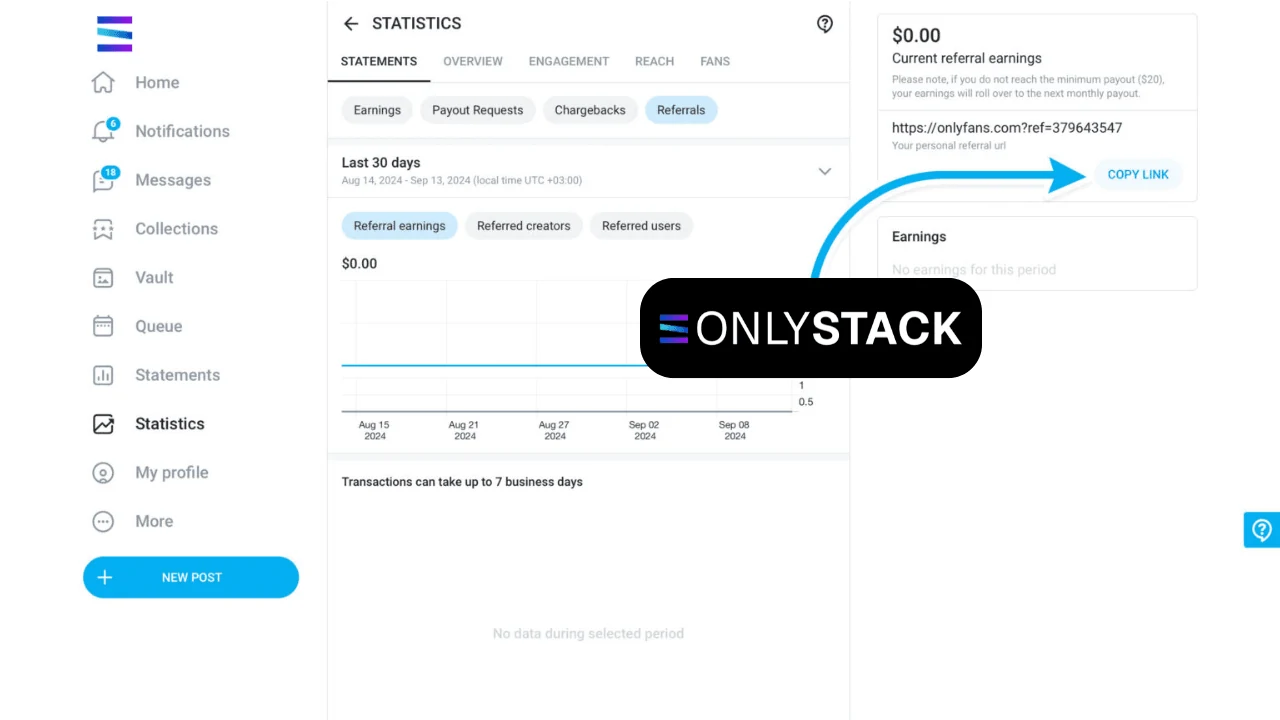
To find your OnlyFans referral link, open Statistics, choose Statements and click Referrals. Your personal referral URL is on the right: click Copy Link and share it with other creators. OnlyFans pays you a share of what the creators you refer earn. Referral earnings are paid out once they reach the $50 minimum.
What is the OnlyFans referral program?
The OnlyFans referral program lets a creator bring other creators onto the platform. When someone signs up as a creator through your personal link, OnlyFans pays you a small share of what they earn. It's sometimes called the OnlyFans affiliate program, but it only pays for referred creators, not for fans.
Step by step: finding your link
- Log in to OnlyFans and open Statistics from the menu.
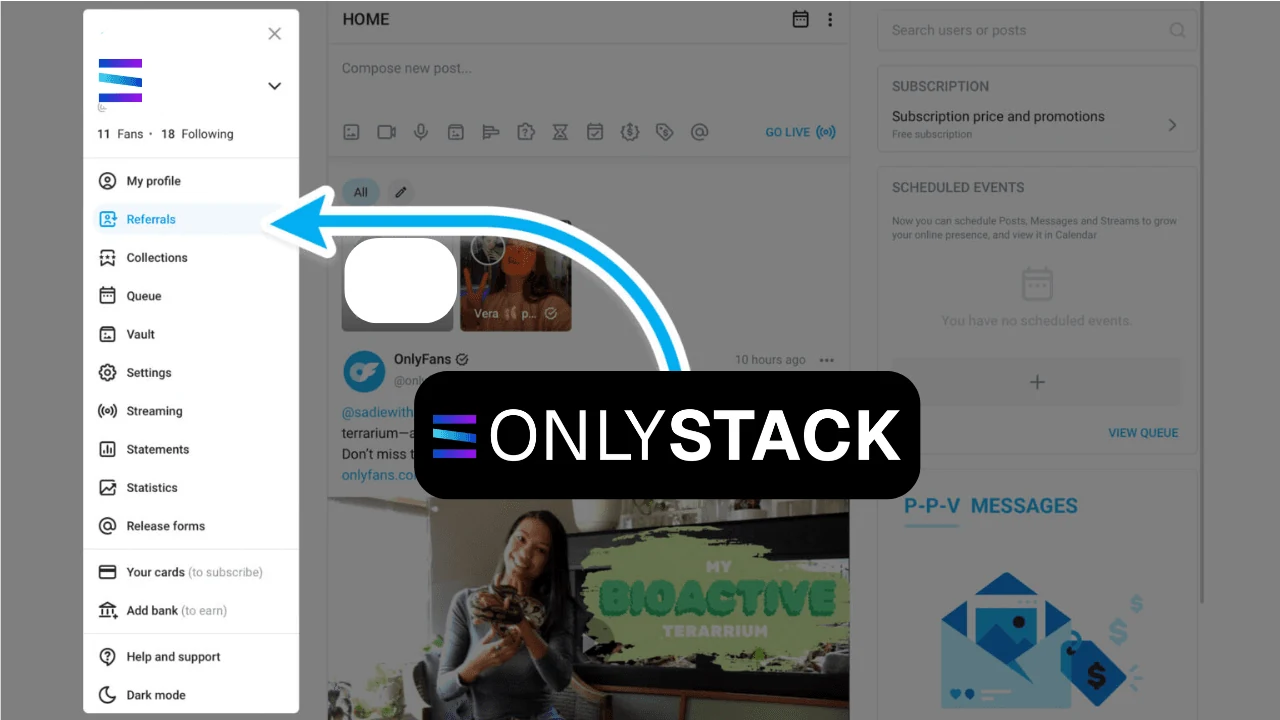
- Go to Statements, then open the Referrals tab.
- Your referral URL is shown on the right side of the page. Click Copy Link, then paste it into a message to a creator you know, or into your social media bio.
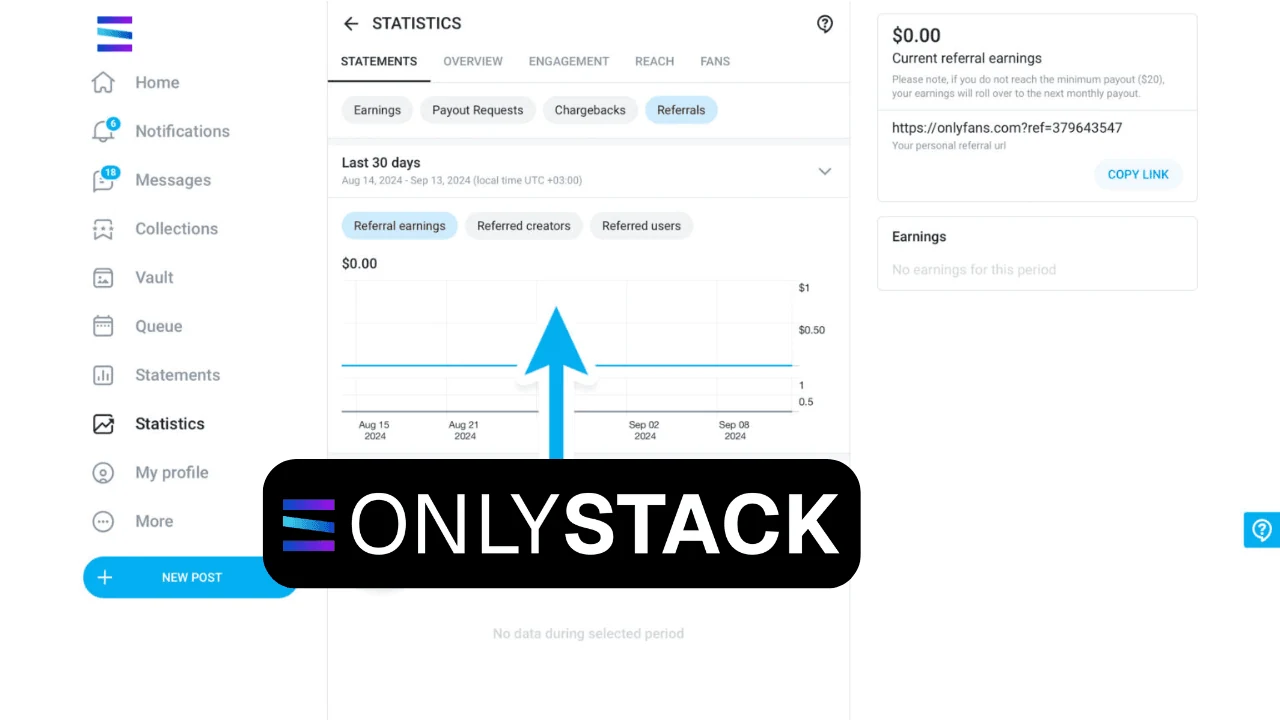
The same Referrals page tracks how your link is doing: what you've earned from referrals, and the creators and users who joined through it.
What do you earn from OnlyFans referrals?
You get a percentage of the income each referred creator makes, for a set period after they join. OnlyFans sets the exact rate and how long it lasts in its referral terms, and these can change, so read the current terms before you start promoting your link.
Referral earnings are paid out once they reach the $50 minimum payout; smaller amounts roll over to the next monthly payout.
The link has to be used at signup. If a creator joins without clicking your link, OnlyFans can't count them as your referral, and it can't be added afterwards.
Tips for sharing your referral link
- Share it with creators you actually know. A personal recommendation works far better than posting the link everywhere.
- Explain what the platform did for you. New creators want to hear real experience, not a sales pitch.
- Put it in your link-in-bio page alongside your own OnlyFans link, labelled clearly for creators.
If you run or work with an agency, OnlyStack has its own partner program as well: see OnlyFans Affiliate Program With OnlyStack.
For a related next step, read OnlyFans Affiliate Program With OnlyStack.