





OnlyFans Welcome Messages: How to Write and Set One Up
In this article (3)
Your welcome message is the first thing every new subscriber gets from you. OnlyFans sends it automatically once you switch it on in Settings, under Chats, and ending it with a question gets more replies.
Below: how to turn it on, how to write it, and examples you can copy.
How do you set up an OnlyFans welcome message?
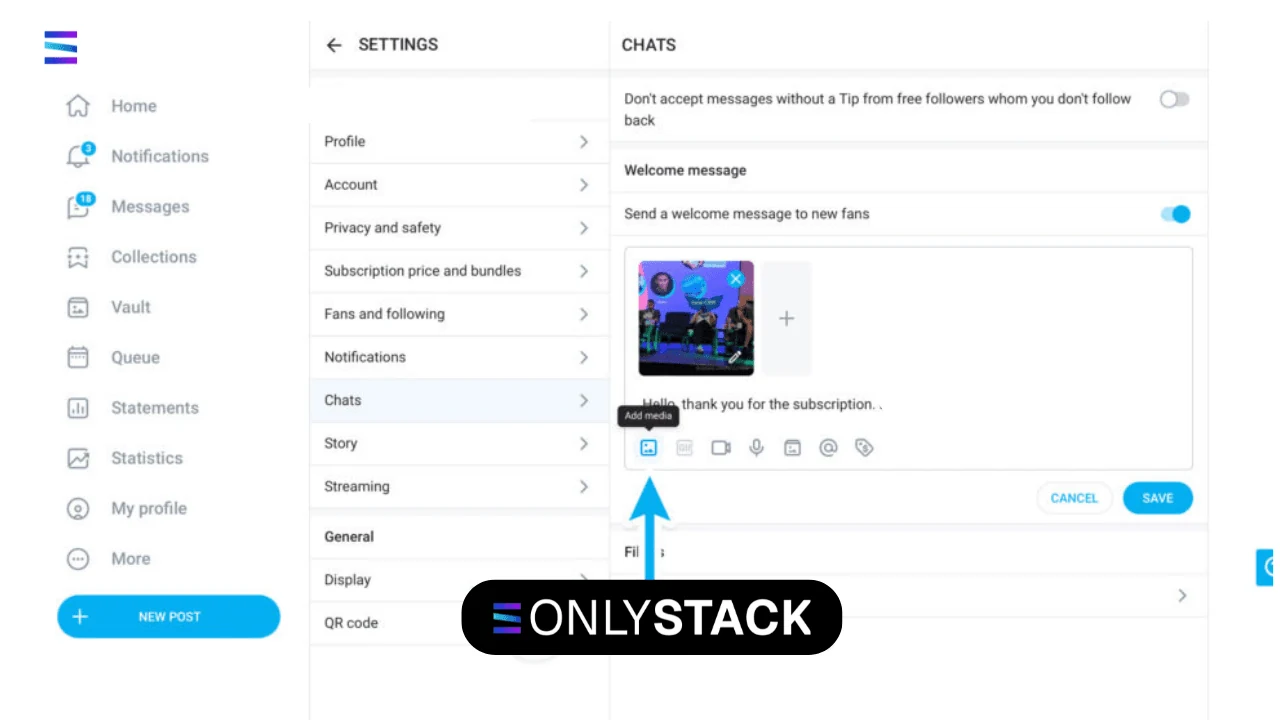
To set up an OnlyFans welcome message, click More, open Settings and choose Chats. Turn on “Send a welcome message to new fans” and write a short greeting; ending with a question gets more replies. You can attach a photo, video or audio, free or paid, and every new subscriber receives it automatically.
Step by step:
- Click More, then Settings.
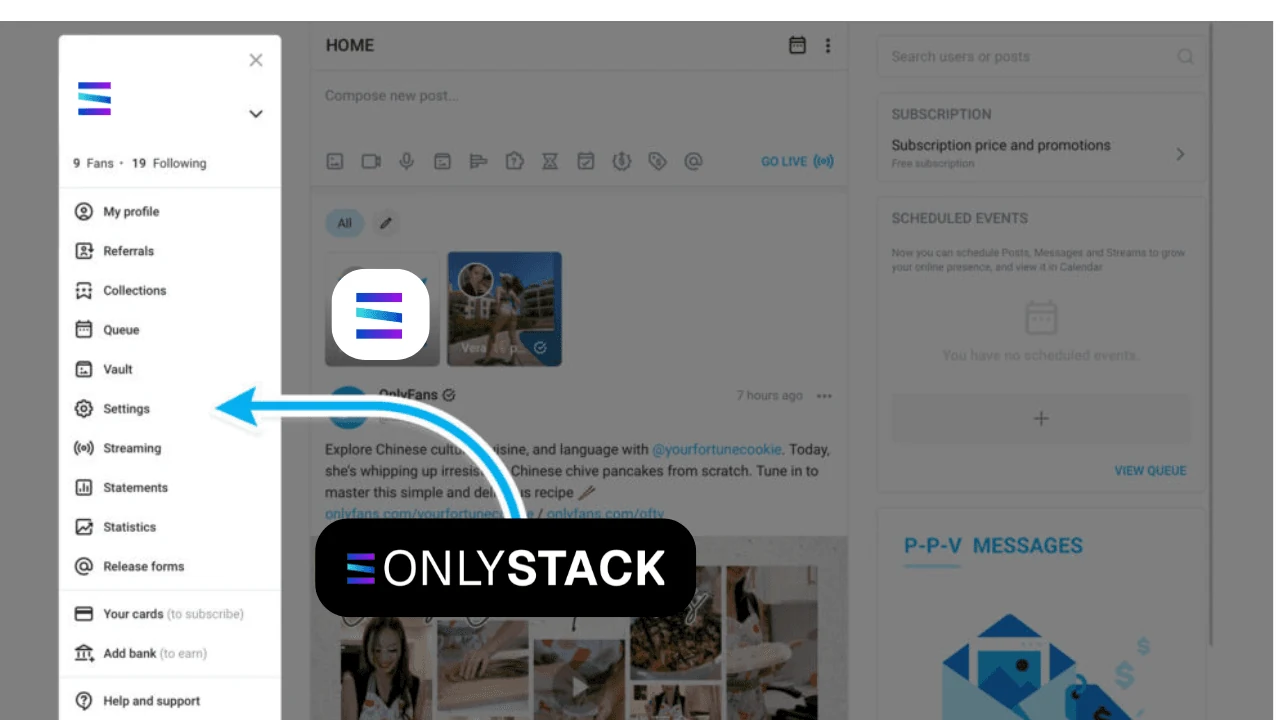
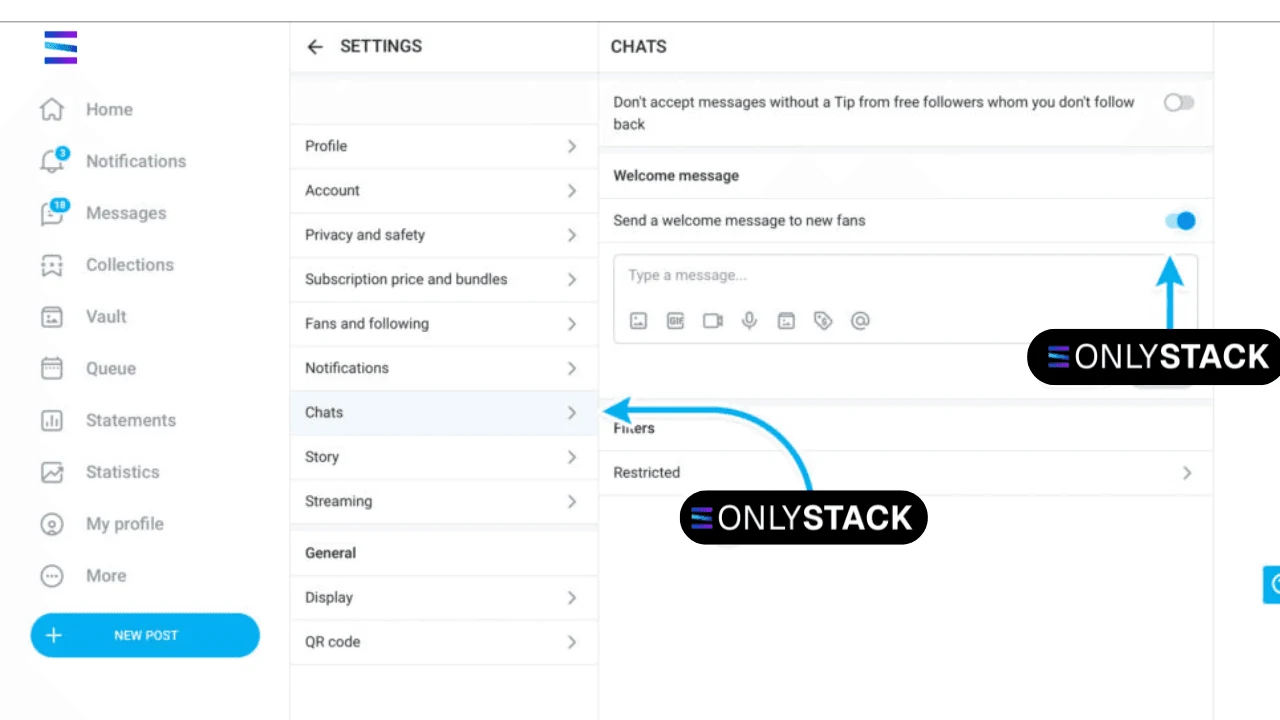
- Open Chats and switch on “Send a welcome message to new fans”. The box for your message appears.
To go further, with follow-ups, messages to fans who are online and expired-fan recovery, see OnlyFans automation.
How to write it
Greet the fan, say what they can expect on your page, and end with a question so they reply.
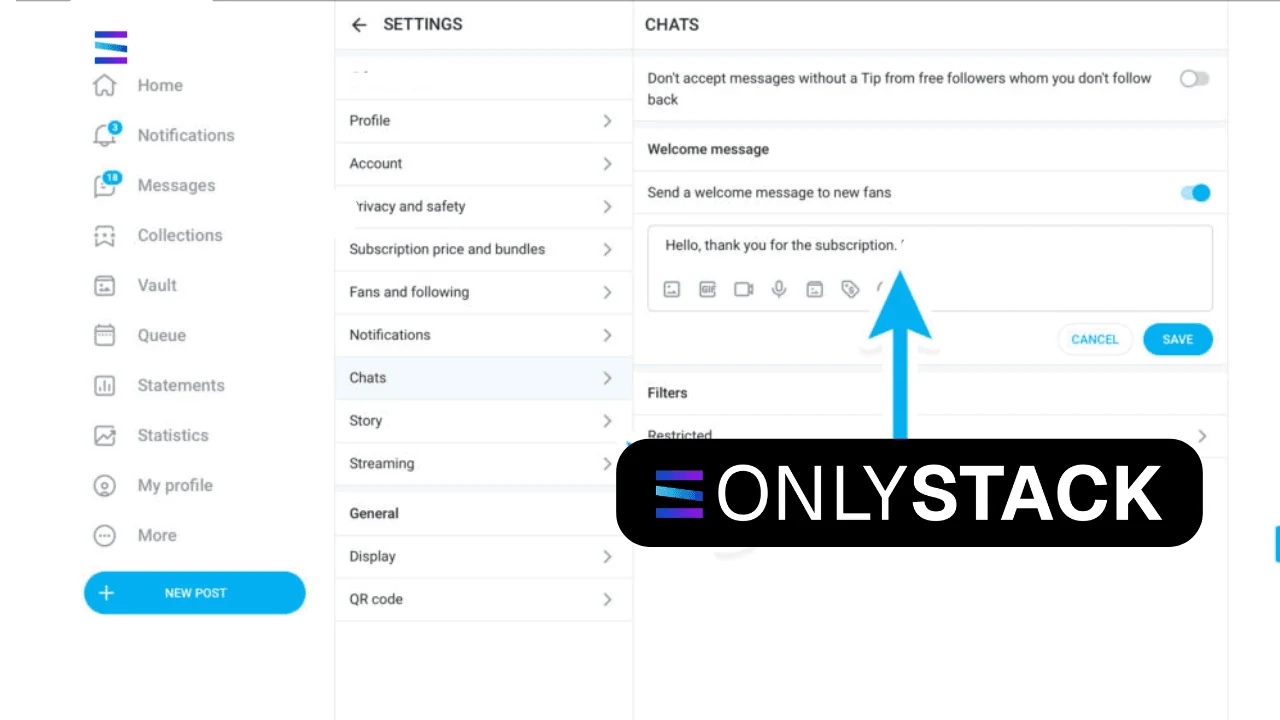
Then add media if you like. The add-media button attaches a photo, video, audio clip or GIF, and you can also pick something you've already saved in your vault.
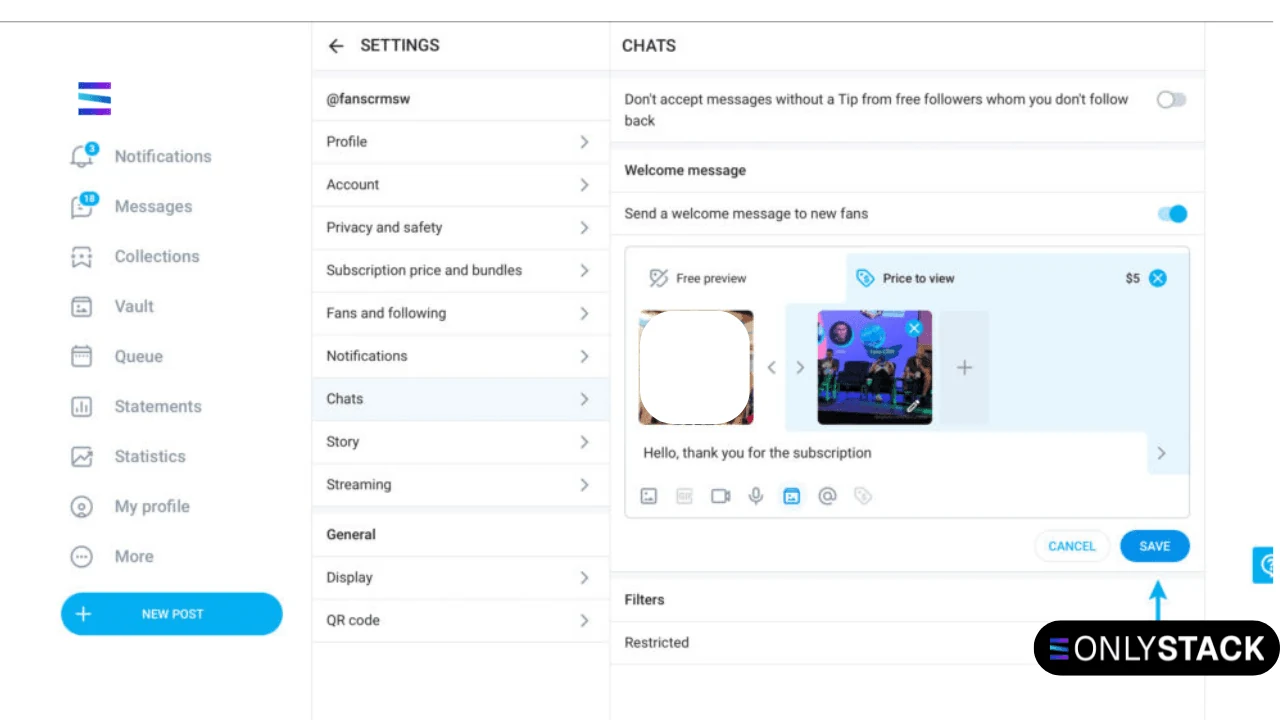
You can send it free or set a price. In this example we set $5, added a free preview from the vault and clicked Save.
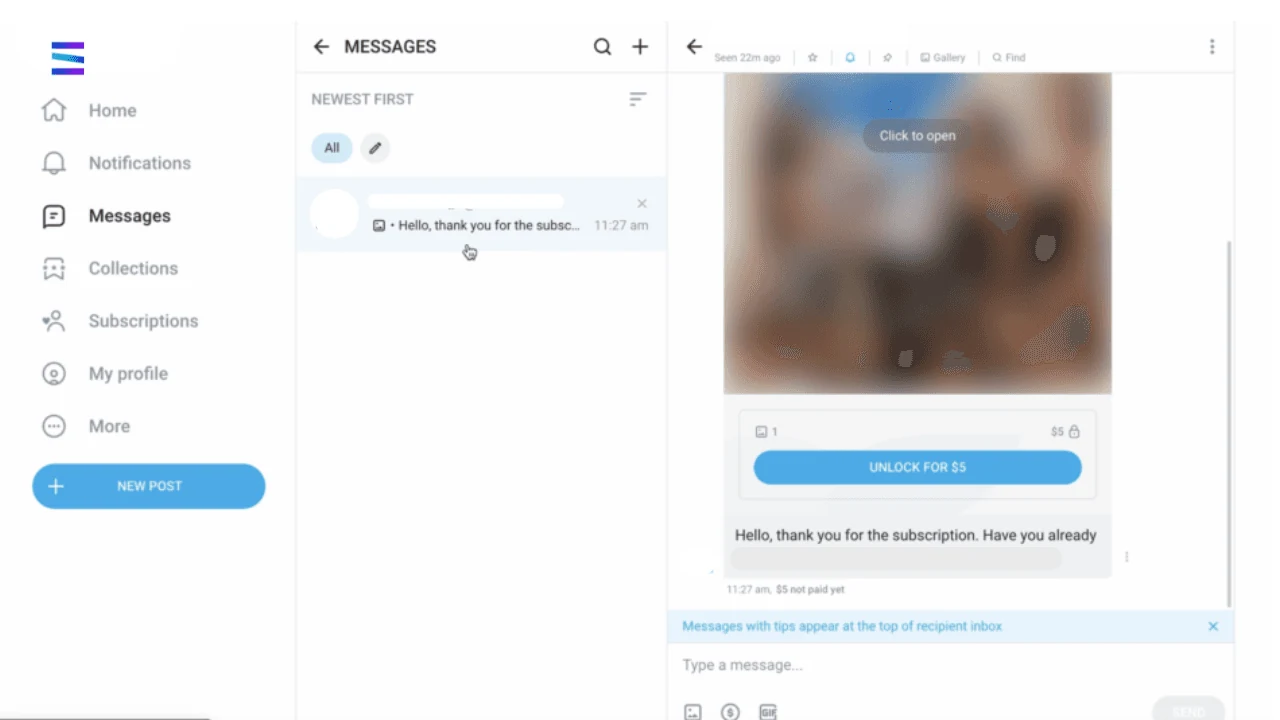
From then on, every new subscriber gets it straight away. This is what a fan sees right after subscribing:
Examples you can copy
- “Hey, welcome! So happy you're here 💕 I post new sets every week and I read every message. What made you subscribe?”
- “Hi, and thanks for joining! Quick tour: posts on my feed most days, longer videos in your DMs. What kind of content do you like most?”
- “Welcome in! I'm [name] and I love chatting, so don't be shy. Where are you messaging me from?”
- “Thanks for subscribing! Here's a little something to say hi 😘 Tell me, what should I post next?”
Keep it short, sound like yourself, and only promise what you will actually post.
Running several accounts? OnlyStack's automations send a welcome message to every new subscriber on each account, so nobody is missed overnight.
For a related next step, read How to Send OnlyFans Mass Messages. Ideas and Examples..