





OnlyFans Menu: Free Template, Price List and Examples
In this article (14)
- What is an OnlyFans menu?
- Why you need an OnlyFans menu
- How to create an effective OnlyFans menu
- OnlyFans menu prices: what you can charge
- OnlyFans menu for beginners
- OnlyFans menu ideas
- OnlyFans tip menu examples
- Free OnlyFans menu template (PDF)
- How to promote your OnlyFans menu
- Using your menu in an agency workflow
- Keep your menu up to date
- Frequently asked questions
- Closing thoughts
- Sources
An OnlyFans menu is a price list of what you sell, such as custom content, personal interactions and bundles, each with a clear price, usually pinned to your profile and sent to new subscribers. This post includes a free template and ready-to-use menu examples, so fans know exactly what they can buy without asking, guessing or haggling.
Free download: OnlyFans menu template (PDF), a printable one-page menu with blank lines for your own prices.
Below: what to offer and how to price it within OnlyFans' own price limits, a starter menu for beginners, menu ideas from themed menus to bundles, ready-to-use tip menu examples, and how creators and agencies use a menu in welcome messages, mass messages and PPV.
What is an OnlyFans menu?
An OnlyFans menu is a price list of the content and services you offer, like a restaurant menu for custom content, personal interactions and bundles, each with a clear price. Most creators keep it as an image or short text post, pin it to their profile and send it to new subscribers.
Why you need an OnlyFans menu
- Clarity. Fans know what they can buy and what it costs.
- More sales. A visible list of options prompts purchases fans would not have thought to ask for.
- Less back-and-forth. Fewer messages asking "how much for…?", which saves time for you or your chatters.
- Professionalism. A tidy, well-priced menu makes your page look like a business, not an afterthought.
- Boundaries. Listing what you offer also makes clear what you don't.
How to create an effective OnlyFans menu
Step 1: Decide what to offer
Pick the services you are happy to deliver reliably. Popular options include:
- Custom photos and videos tailored to a fan's request
- Sexting sessions, priced per session or by time
- Shoutouts and birthday messages
- Live stream access
- Content bundles: packs of photos or videos at a discount
- Fan polls, where fans vote on your next theme
- Behind-the-scenes content
- Merchandise or signed items
- Tutorials and advice in your niche, such as fitness or makeup
- Roleplay videos for specific requests
Step 2: Use a template
A clean design makes the menu easy to read. You can design one in Canva, buy an editable template on Etsy, or hire a designer on Fiverr. Whatever you use:
- Use bold headings for each category
- Stick to colours that match your brand
- Add your name or watermark
- Keep it readable on a phone, which is where most fans will see it
Step 3: Set your prices
Look at what creators in your niche charge, then price for your audience.
- Start accessible if you are new, and raise prices as demand grows.
- Bundle discounts encourage bigger purchases.
- Charge more for custom work. Personal requests take more time.
- Reward loyalty with deals for long-term subscribers.
- Offer tiers so fans with different budgets all have something to buy.
- Try trial offers to let new subscribers sample your content.
Step 4: Keep it clear
Each item needs a clear name, a one-line description and a fixed price. Add delivery times for custom content, so fans know when to expect it.
OnlyFans menu prices: what you can charge
Your menu prices have to fit inside the limits OnlyFans sets, because fans pay for menu items with a tip or a paid message. These are the published limits (from OnlyFans' Help Center, read 20 October 2026; the full list is in OnlyFans limits):
| How the fan pays | OnlyFans' limit |
|---|---|
| Tip | $3 minimum; $100 maximum for newer fan accounts, $200 after 4 months |
| Paid message or paid post (PPV) | $3 to $100 |
| Subscription | $4.99 to $50 a month, or free |
| Subscription bundle (2 months or more) | Up to $250 |
| What a fan can spend in a day | Up to $500 for new fan accounts, higher for long-standing ones |
What that means for your menu:
- Keep single items at $100 or less. A tip or a paid message over $100 won't go through for a newer fan, so a $150 item can't be bought in one payment by most of your audience.
- Split bigger items. Price a large custom request as a deposit and a final payment, each under the limit, and say so on the menu.
- Use bundles for long-term offers. A discounted 3- or 6-month subscription bundle can go up to $250, which suits "VIP" offers better than one large tip.
- Remember OnlyFans' 20% fee. You keep 80% of every tip and paid message, so a $25 menu item pays you $20. See how much OnlyFans takes.
OnlyFans menu for beginners
If you're just starting, a short menu sells better than a long one. Fans decide faster with fewer choices, and you can see what sells before adding more. A starter menu with five items is enough:
| Item | Example price | Why it's on a starter menu |
|---|---|---|
| Photo set (5 photos) | $10 | A low-cost first purchase |
| Short video | $20 | Your core paid item |
| Custom photo | $25 | Personal, so it can cost more |
| Bundle: 3 photo sets | $25 | Makes the bigger purchase the better deal |
| Personal voice note | $15 | Quick to make, feels personal |
These prices are examples, not advice for your niche. Every item sits well under the $100 tip and PPV limit.
Tips for a first menu:
- Start with 4 to 6 items and two or three price levels.
- Put the menu in your welcome message, so every new subscriber sees it.
- Check what sells after a month. Drop items nobody buys and raise the price of the ones that sell out.
- Add customs and bundles later, once you know what fans ask for.
OnlyFans menu ideas
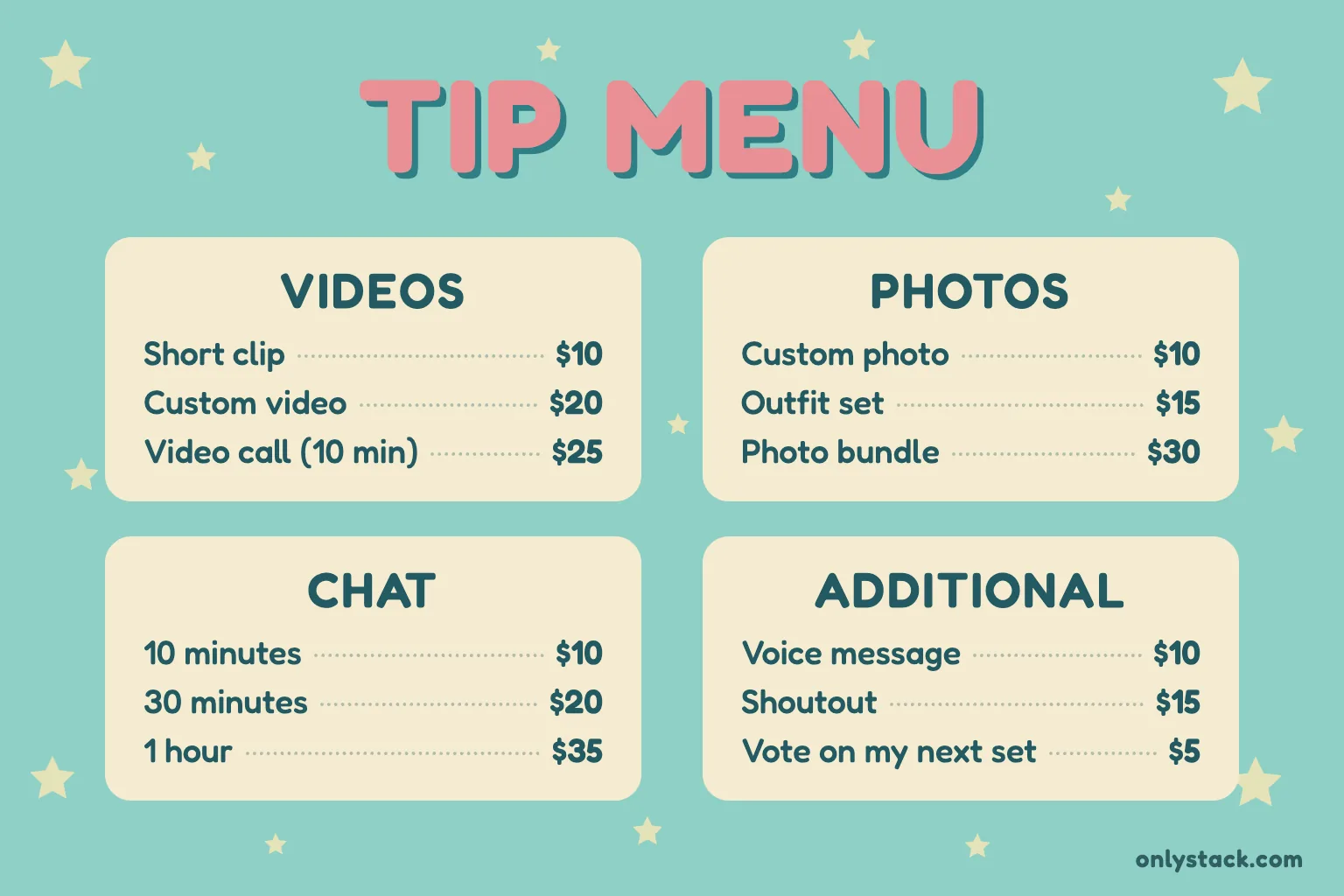
1. Themed menus
Build the menu around your niche:
- Fitness: workout plans, form checks and custom gym videos
- Cosplay: character shoutouts and exclusive photo sets
- Lifestyle: fashion, travel and day-in-the-life content
- Food: recipes and cooking videos made to order
2. Seasonal specials
Refresh the menu for holidays and events, such as Valentine's Day messages or holiday photo sets, and offer limited-time discounts.
3. Interactive options
- Polls on future content
- Challenges where fans suggest ideas
- Live Q&A sessions
- Personal advice sessions in your niche
4. Bundles
- A Starter Pack: one custom photo, a shoutout and a short video
- A VIP Experience: private messaging, exclusive live streams and early access
5. Exclusive access
- Unreleased content
- Early previews of new sets
- Behind-the-scenes footage from shoots
OnlyFans tip menu examples
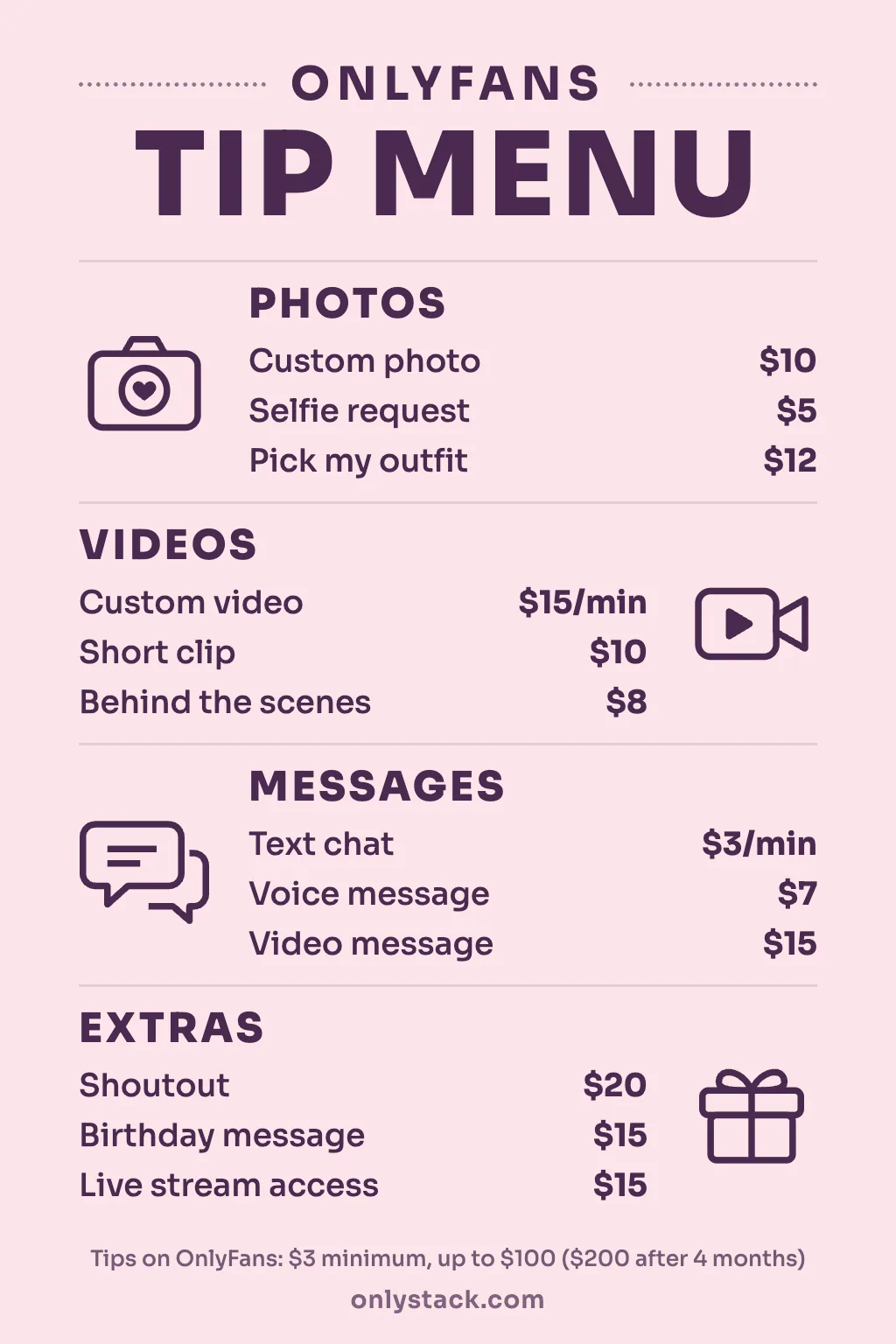
An OnlyFans tip menu is a price list where each item is paid for with a tip of a set amount, for example a $10 tip for a custom photo or a $20 tip for a shoutout. OnlyFans has no built-in tip menu, so creators post it as an image or text and fans pay by tipping on the post or in messages. Keep every price within OnlyFans' tip limits: the minimum tip is $3, and fans can tip up to $100 on a new account or $200 after 4 months (see OnlyFans limits).
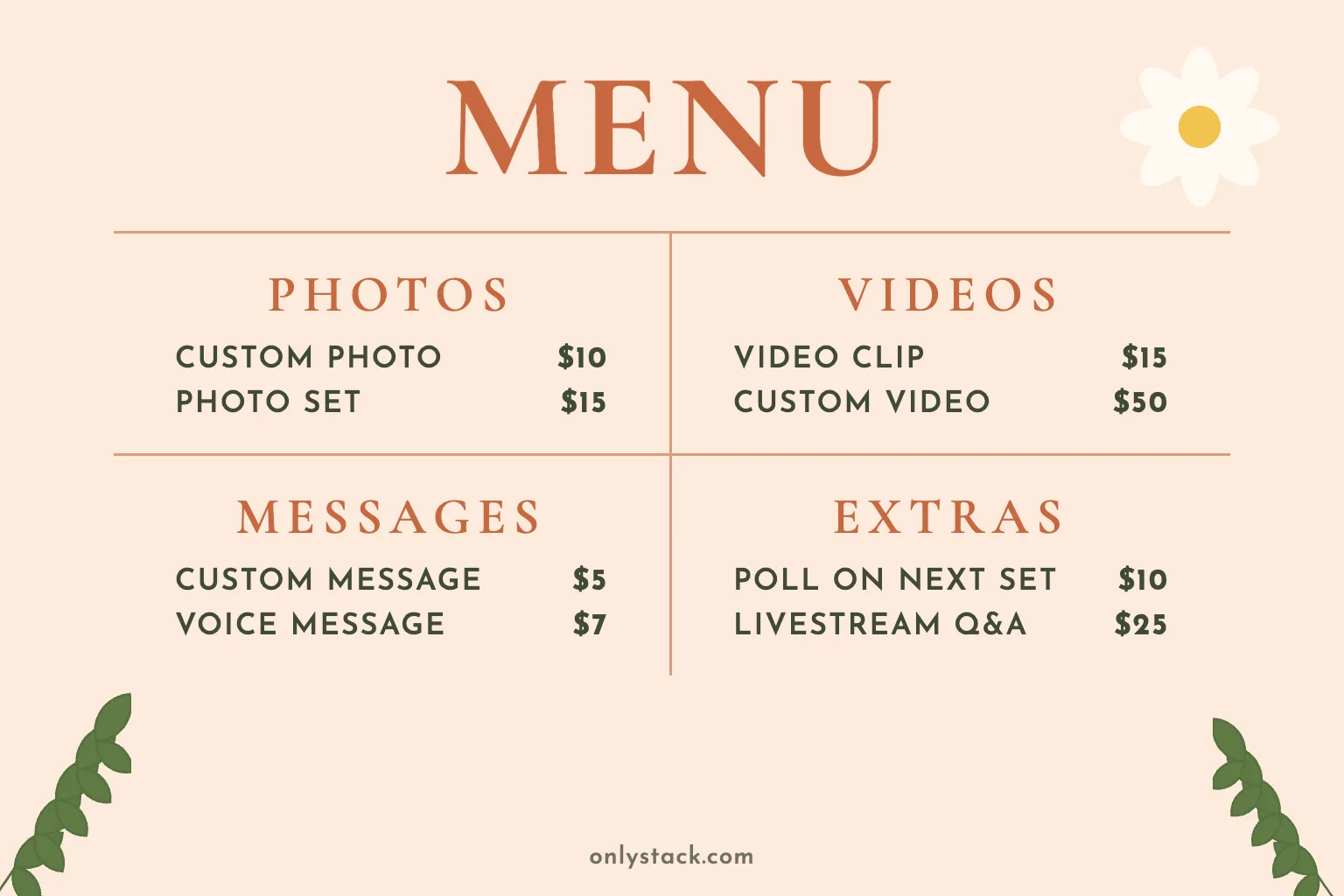
A simple layout to start from:
| Service | Price |
|---|---|
| Custom photo | $10 per photo |
| Custom video (2 min) | $50 per video |
| Sexting session (30 min) | $100 |
| Shoutout video | $20 per video |
| Live stream access | $15 per stream |
A more detailed example if you offer a wider range:
| Service | Price | Details |
|---|---|---|
| Custom photo | $10 per photo | Delivered within 24 hours |
| Custom video (5 min) | $75 per video | Includes up to 2 special requests |
| Content bundle | $120 for 10 items | A mix of photos and short clips |
| Personalised shoutout | $30 per video | Good for birthdays and events |
| Private messaging (1 hr) | $50 per session | Real-time chat |
| Digital collectibles | $25 per item | Signed digital posters or art |
| Workout plan | $50 per plan | Made for the fan's goals |
These prices are examples only. Set yours based on your niche, your audience and what similar creators charge.
Free OnlyFans menu template (PDF)
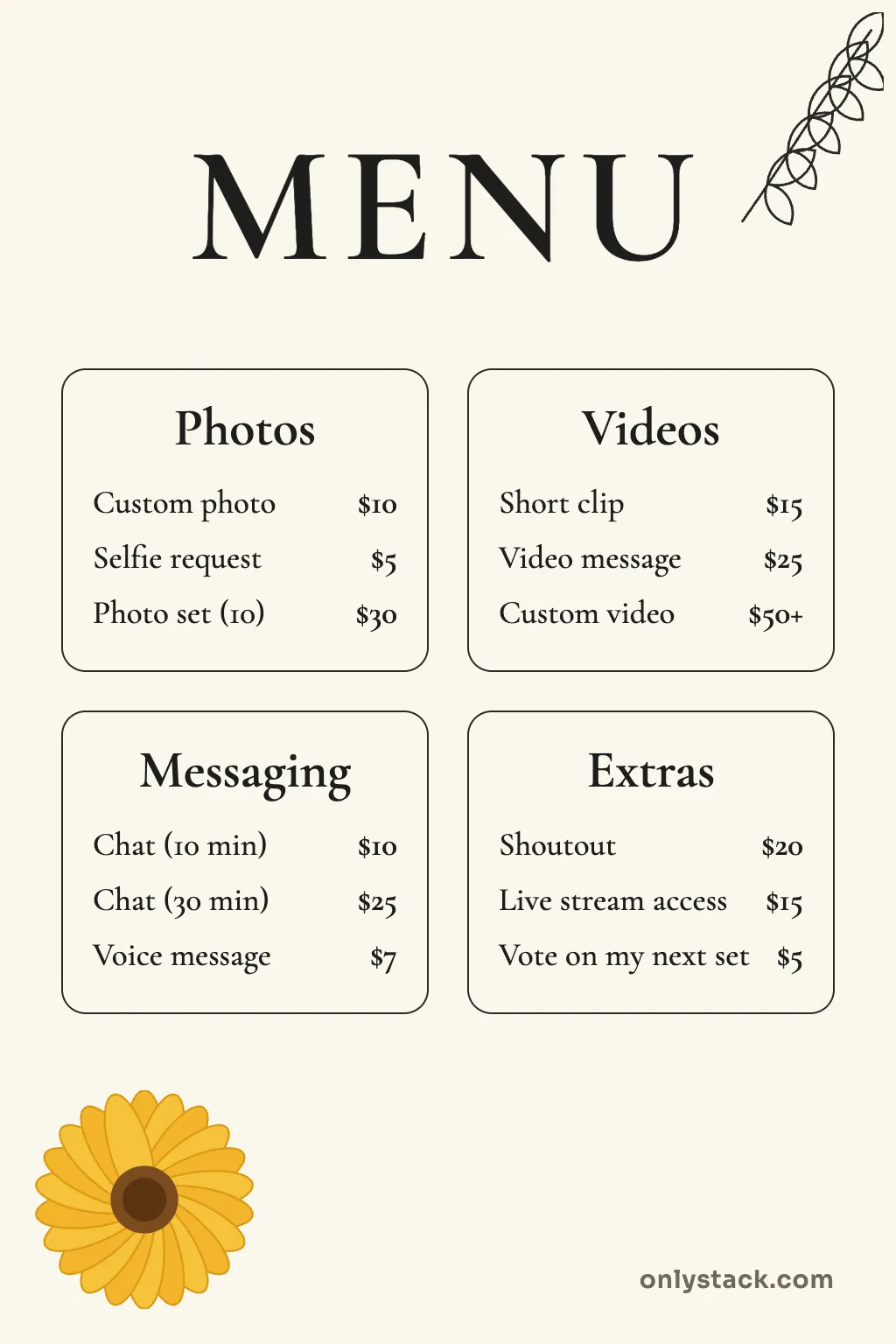
Download the free OnlyFans menu template PDF: a printable one-page menu with photos, videos, messages and extras, and blank lines for your own prices. Fill it in by hand, or use it as a guide for your own design.
If you'd rather start from text, keep it simple. Copy this and change the prices:
Welcome to my menu! Here's what I offer:
- Custom photos: $10 each
- Videos: from $50
- Bundle: 10 photos for $100
- Shoutouts: $20 each
- Priority delivery: +$20
- Vote on my next set: $5
You can turn it into an image with an editable template from Canva. Or download our free OnlyFans menu template PDF and fill it in.
How to promote your OnlyFans menu
- Pin it to the top of your OnlyFans profile.
- Share a safe-for-work version on X, Instagram or Reddit, where the platform's rules allow it.
- Send it in mass messages when you add new items or run a special.
- Add it to your welcome message, so every new subscriber sees it on day one.
- Team up with other creators for joint bundles and cross-promotion.
- Run time-limited discounts to bring in new subscribers.
- Tease what's coming with previews, countdown posts and polls.
Using your menu in an agency workflow
If you run an agency with several creators, the menu is not just a profile image. It's what chatters sell from all day. A few things make it work at scale:
- Send it automatically. A welcome message with a short delay, followed by a second message with the menu, reaches every new subscriber without a chatter doing it by hand. In OnlyStack, automatic welcome messages support time delays and multiple messages.
- Target online fans. Mass messages about a menu special convert best when fans are online to reply. OnlyStack can send personalised mass messages to fans who are online right now.
- Know who spends. Showing each fan's total spend, and grouping fans into lists by spend, helps chatters offer the right menu items to the right people.
- Track what sells. PPV tracking shows which items and price points actually earn, so you can update the menu with data rather than guesses.
- Keep the vault organised. Labelled media makes it quick to find the right content when a fan orders from the menu.
See how agencies use these on the OnlyStack features page.
Keep your menu up to date
- Update it regularly. Rotate seasonal items, retire what doesn't sell and feature what does.
- Personalise for top fans. Offer VIP packages to your most loyal subscribers.
- Listen to feedback. Run polls and ask fans what they'd like to see.
- Check the numbers. Track which items sell, then adjust prices and options.
Frequently asked questions
What should be on an OnlyFans menu?
Your most popular services with clear prices: custom photos and videos, bundles, shoutouts, sexting sessions and live stream access are common. Only list what you can deliver reliably.
How much should I charge on my OnlyFans menu?
Look at what creators in your niche charge, then adjust for your audience. Keep single items between $3 and $100, because that's OnlyFans' range for paid messages and for tips from newer fans. Start accessible if you're new, charge more for custom work, and offer bundles for fans who want more.
Where do I put my menu on OnlyFans?
Pin it to the top of your profile, include it in your welcome message and resend it in mass messages when you update it.
What is a tip menu on OnlyFans?
A list of things fans can get by sending a tip of a set amount, such as a custom photo or a shoutout. OnlyFans doesn't build it for you: you post it as an image or text, pin it, and fans pay by tipping. Tips must be between $3 and $100 for newer fan accounts, or up to $200 after 4 months.
Is there a free OnlyFans menu template?
Yes. Use the text template above, or design one in Canva using a free template.
How often should I update my menu?
Every few months, and around holidays or events. Remove items that don't sell and add new ones fans ask for.
Can an agency use one menu for several creators?
Use the same structure, but give each creator a menu that matches their niche, prices and boundaries.
Closing thoughts
A clear OnlyFans menu helps fans buy, saves time in the chat and makes your page look professional. Keep it simple, price it for your audience, send it to every new subscriber, and update it based on what actually sells.
For a related next step, read What is OnlyFans PPV?.
Sources
- OnlyFans Help Center, tips, paid messages, subscription prices and bundles, read 20 October 2026, as cited in OnlyFans limits
- OnlyFans, Terms of Service (20% fee), read November 2026