





PPV Meaning on OnlyFans: What PPV Is and How It Works
In this article (11)
PPV on OnlyFans means pay-per-view: a one-off price a fan pays to unlock one photo, set, video or live stream, separate from the monthly subscription. Most PPV arrives as a locked private message that opens when the fan pays. A paid message or paid post costs between $3 and $100, and the creator keeps 80% of what the fan pays.
This page explains the PPV meaning on OnlyFans for fans and beginners: the forms PPV takes, what a fan sees and pays, the price limits, who gets the money, and what happens if something goes wrong. If you are a creator or agency looking for how to price and sell PPV, read our OnlyFans PPV strategy guide instead.
What is PPV on OnlyFans?
PPV on OnlyFans is content with its own price. The creator locks a photo, a set, a video or a live stream and names a price. A fan who wants it pays that price once, and it unlocks for them. Paying for a subscription does not unlock PPV: the subscription opens the creator's regular feed, and each PPV item is paid for separately.
| PPV on OnlyFans | |
|---|---|
| Stands for | Pay-per-view |
| What the fan buys | One item or bundle: photos, a video, a live stream |
| Where it appears | Private messages (most often), paid posts in the feed, paid live streams |
| Price | $3 to $100 for a paid message or paid post |
| Who gets the money | The creator keeps 80%, OnlyFans keeps 20% |
| Included in the subscription? | No. It is a separate payment |
PPV is a big part of how OnlyFans works. In the year to November 2025, messages, pay-per-view and tips made up 73% of OnlyFans' revenue, according to the accounts of its owner, Fenix International, at Companies House. Subscriptions made up the other 27%. See OnlyFans average income for the full breakdown.
PPV meaning on OnlyFans and elsewhere
Outside OnlyFans, PPV means the same thing: paying once to watch one thing. Boxing and UFC events are sold as pay-per-view on TV and streaming services, and some films are rented the same way. The abbreviation has other meanings in other fields, which is why searches for it can be confusing:
| PPV | Field |
|---|---|
| Pay-per-view | TV, streaming, OnlyFans and other creator sites |
| Purchase price variance | Accounting: the gap between the expected and actual price paid |
| Positive predictive value | Medicine and statistics: how often a positive test result is right |
On OnlyFans, PPV always means pay-per-view.
The three kinds of PPV on OnlyFans
Paid messages (PPV messages)
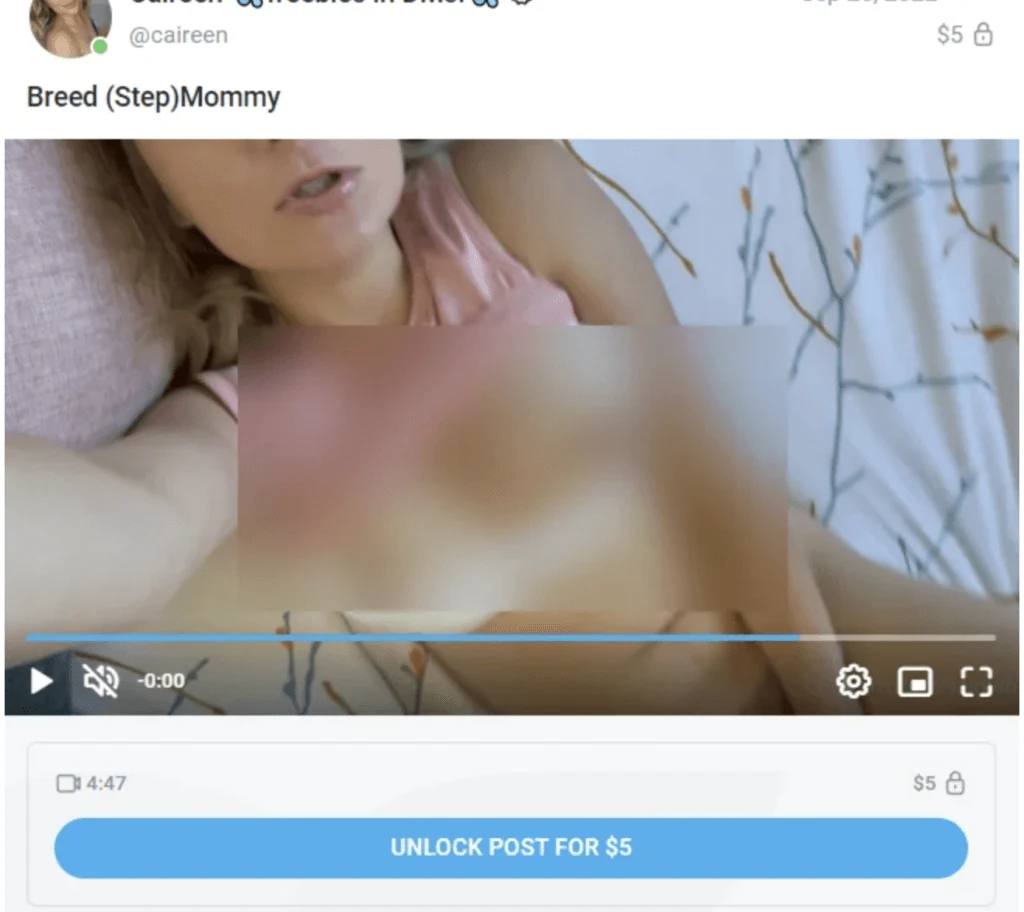
This is the most common kind. A creator sends a message with photos or videos attached and sets a price. The media stays blurred in the chat until the fan pays. The creator can leave some of the media free as a preview, so the fan sees a part of what they are buying. A paid message can go to one fan or, as a mass message, to many fans at once. OnlyFans calls this a "pay to unlock message", and it costs $3 to $100.
Paid posts (PPV posts)
A paid post sits in the creator's feed with a price on it. A fan scrolling the feed sees the post locked, with an unlock button and the price, and pays to open it. OnlyFans' Help Center gives a paid post the same price range as a paid message: $3 to $100. A post can hold up to 40 photos or videos.
Paid live streams
Creators can go live once OnlyFans has switched live streaming on for them. OnlyFans' own guide to going live says only free pages can charge an entry price for a stream, from $5. On a paid page, the stream is open to the subscribers the creator chooses, and fans can tip during it. After the stream, the recording is saved to the creator's Vault, so it may be sent later as a paid message. Our guide to OnlyFans live has the details.
How PPV works for fans
- You see a locked item. In a chat or in the feed, the media is blurred or hidden, with the price on it. Any media the creator left free as a preview is visible, along with the creator's text.
- You pay the price. The payment comes from the card on your account or from your OnlyFans Wallet. A purchase can't be split: if your Wallet balance is lower than the price, your card is charged the full amount. Prices are in US dollars, and tax is added where it applies.
- The content unlocks. It opens where you bought it, in the chat or in the post.
Some practical points:
- Look at the preview and the description first. A good creator says what is inside, such as how many photos or how long the video is.
- There is a daily spending limit. New accounts can spend up to $500 a day, raised for long-standing accounts in good standing. Tips have their own limits: $3 to $100 for new accounts, up to $200 after 4 months. See OnlyFans limits.
- Access can end. OnlyFans' contract between fans and creators says your right to view something you bought ends if the payment is charged back or reversed, if the content is removed, or if your account is suspended. Creators can also ask OnlyFans to remove pay-per-view content, and you agree to this when you buy.
- Pay only inside OnlyFans. If anyone asks you to pay for content by another app or website, don't. OnlyFans' rules ban selling outside the platform, and it can't help you if nothing arrives. Our guide to OnlyFans payment methods covers cards, the Wallet and declines.
What does "no PPV" mean on OnlyFans?
"No PPV" on an OnlyFans profile means the creator does not sell content separately: everything they post is included in the subscription, and they do not send locked paid messages. Creators write it in their bio or their promotion so fans know exactly what the subscription buys.
"No PPV" pages usually charge a subscription, since that is where their money comes from. Tips are not PPV, so fans can still tip, and some "no PPV" creators still take paid custom requests. Read the bio to see what is on offer.
OnlyFans PPV prices and limits
These are OnlyFans' own limits, from its Help Center (read October 2026) and its guide to going live.
| Item | Limit |
|---|---|
| Paid message (pay to unlock message) | $3 to $100 |
| Paid post (pay to unlock post) | $3 to $100 |
| Paid live stream | From $5, on free pages only |
| Tip | $3 minimum; up to $100 for new accounts, $200 after 4 months |
| Fan spending per day | Up to $500 for new accounts, more for long-standing ones |
| Subscription | Free, or $4.99 to $50 a month |
You may see other maximums online, such as $50 or $200. The limits have changed over the years: in 2020, creators told Rolling Stone they suddenly couldn't price PPV above $50. Today's Help Center says $100. Because a single PPV can't go over $100, creators who sell something bigger usually split it into several parts.
Within those limits, the creator decides the price. There is no standard price for a PPV on OnlyFans, and two creators can charge very different amounts for similar content. Our subscription price guide shows how creators set prices for subscriptions and PPV side by side.
Who gets the money from a PPV
The creator keeps 80% of every PPV payment and OnlyFans keeps 20%, the same split as for subscriptions and tips. A fan who pays $10 for a paid message sends $8 to the creator's earnings and $2 to OnlyFans. If an agency manages the account, its commission comes out of the creator's 80% under their own contract.
Earnings stay pending for 7 days before they can be withdrawn (21 days for creators in a few countries), and the minimum payout is $20 for most payout methods. Our guide to how much OnlyFans takes covers the fee in more detail.
Do creators get paid per view? No. Despite the name, nobody is paid for views on OnlyFans. A creator earns from a PPV only when a fan pays to unlock it. A fan who unlocks it and watches it ten times pays once.
PPV refunds and chargebacks
If a PPV wasn't what the message described, contact OnlyFans support at support@onlyfans.com first. Keep screenshots of the offer, the preview and the charge.
What OnlyFans' Terms of Service (last updated October 2026) say:
- Subscriptions and Wallet credits are non-refundable. A fan who cancels keeps access until the end of the period they paid for.
- Unjustified refund requests and chargebacks are not allowed. OnlyFans may suspend or delete the account of a fan who makes them in bad faith.
- A successful refund or chargeback comes out of the creator's share. The Terms say: "If a Fan successfully seeks a refund or chargeback from their payment method provider of a User Payment, we may deduct an amount equal to the Creator Earnings portion of the refunded or chargeback amount."
For creators, that last rule is why an honest preview and a clear description matter. Our guide to OnlyFans chargebacks covers how to protect earnings.
How creators send a PPV message
- Open Messages and choose a fan's chat, or press + and New Message to write to several fans.
- Type your text and add photos or videos from your device or your Vault.
- Set a price between $3 and $100.
- Drag any media you want to show for free as a preview to the left.
- Send it, or schedule it for later.
Sending one is the easy part. Who to send it to, what to charge and how to follow up decide whether it sells; that is what our OnlyFans PPV guide covers. For the other kinds of message, see OnlyFans messages.
FAQ
What does PPV stand for on OnlyFans?
Pay-per-view. It is content with its own price, such as a locked photo set or video in a message, that a fan pays once to unlock.
Is PPV included in an OnlyFans subscription?
No. The subscription opens the creator's regular feed. Each PPV message, paid post or paid live stream is a separate payment on top of it. On a free page, the subscription costs nothing and PPV and tips are how the creator earns.
How much does PPV cost on OnlyFans?
The creator sets the price. OnlyFans allows $3 to $100 for a paid message or paid post, and an entry price from $5 for a paid live stream on a free page.
Do you get paid per view on OnlyFans?
No. A creator is paid when a fan unlocks a PPV, not when anyone views it. The creator keeps 80% of each payment after OnlyFans' 20% fee.
Why can't I unlock a PPV on OnlyFans?
The usual causes are a card decline from your bank, the daily spending limit ($500 a day for new accounts), or a Wallet balance lower than the price, since purchases can't be split. If none of these fits, contact OnlyFans support.
Can you get a refund for a PPV on OnlyFans?
Contact OnlyFans support first, with screenshots. The Terms don't allow unjustified refund requests or chargebacks, and OnlyFans may suspend accounts that make them in bad faith.
Sources
- OnlyFans Help Center, How much can I charge for a pay to unlock message?, How much can I charge for a pay to unlock post? and What can I include in a Post?, read 20 October 2026, as cited in our OnlyFans limits guide
- OnlyFans Help Center, How much can I tip a Creator?, How do I change my daily payment limits?, What can my subscription price be on OnlyFans? and Payout percentages, read 20 October 2026
- OnlyFans, Terms of Service, last updated October 2026 (Wallet, refunds and chargebacks, 20% fee)
- OnlyFans, Contract between Fan and Creator, October 2026 (removal of pay-per-view content, when access ends)
- OnlyFans Blog, How to Go Live on OnlyFans, updated April 2025 (paid stream prices)
- Fenix International Limited, group accounts for the year ended 30 November 2025, Companies House (revenue by source)
- Rolling Stone (31 August 2020), Has Bella Thorne Really 'Ruined' OnlyFans? (the earlier $50 PPV cap)