





OnlyFans PPV: How to Price, Send and Sell Pay-Per-View
In this article (16)
- How to sell OnlyFans PPV: the short version
- The rules you sell inside
- How to price OnlyFans PPV
- Who to send PPV to
- Mass messages vs one-to-one PPV
- When and how often to send
- How to write a PPV message that sells
- Following up on PPV
- Tracking who bought what
- Free page or paid page: where PPV fits
- Fans who never buy, and chargebacks
- Add a tip menu
- For agencies: running PPV across creators
- Common OnlyFans PPV mistakes
- FAQ
- Sources
OnlyFans PPV (pay-per-view) is sold mostly in messages, and messages, PPV and tips made up 73% of OnlyFans' revenue in its 2025 financial year. How you sell PPV matters as much as what you sell. The same video can sell well or barely at all depending on its price, who gets the message, what the caption says and what happens after fans ignore it.
This guide is for creators and agencies: how to price PPV, who to send it to, when to use a mass message and when to write one-to-one, how to follow up, and how to keep track of who bought what. If you need the basics first (what PPV is, how fans pay, refunds), read what PPV means on OnlyFans.
How to sell OnlyFans PPV: the short version
- Make PPV worth paying for. It should be new content that isn't on your feed.
- Price by what is inside and by who the fan is, within OnlyFans' $3 to $100 limit.
- Send to the right list, and always leave out fans who already bought it.
- Write a short, honest message with a real preview and a clear description.
- Follow up once with fans who didn't buy. Thank the ones who did.
- Track what each fan bought and at what price, and use it for the next offer.
The rules you sell inside
Every PPV strategy has to fit OnlyFans' own limits and terms.
| Rule | What it means for PPV | Source |
|---|---|---|
| Price | $3 to $100 for a paid message or paid post | OnlyFans Help Center, read October 2026 |
| Fee | You keep 80%, OnlyFans keeps 20% | Help Center, Terms of Service |
| Fan spending | New fan accounts can spend up to $500 a day | Help Center |
| Spam | Spamming is prohibited | Acceptable Use Policy |
| Selling outside OnlyFans | Not allowed: every sale stays on the platform | Acceptable Use Policy |
| Chatters and agencies | The creator stays legally responsible for messages others send | Terms of Service |
| Refunds and chargebacks | A successful one is deducted from your share | Terms of Service |
Two of these shape everything below. The $100 cap means a bigger item has to be split into parts. And the spam rule means the question is never "how many can I send?" but "who should get this one?"
How to price OnlyFans PPV
There is no correct price for a PPV, and anyone who gives you one number is guessing. What works is a consistent way of setting prices.
Price by what is inside. More photos, a longer video, newer content and content made for one fan all justify a higher price. Content fans can already see on your feed shouldn't be PPV at all.
Price by who the fan is. A fan's first purchase is the hardest one. Make the first offer to a new subscriber small and easy to say yes to. Fans who have bought before have shown what they will pay, so offer them more at prices close to what they already paid.
Use a ladder, not one price.
| Offer | Example | Where to price it |
|---|---|---|
| Starter | A few photos or a short clip | The low end of your range |
| Standard | A new photo set or a full video | Your usual price |
| Bundle | Several sets or videos together | Less than buying them one by one |
| Custom | Made for one fan | Your highest; split it if it goes over $100 |
Price customs by your time. For custom requests, three things set the price: how long it takes to make, how much demand you have, and how comfortable you are making it. If you can't keep up with requests, your prices are too low. If you are just starting, there is no reason to open high; you can raise prices as demand grows.
Discount rarely. If the same offer gets cheaper every time a fan ignores it, fans learn to wait. A one-off discount for a reason (a birthday, a holiday, a fan's first purchase) works better than a habit.
For example price lists and how PPV prices sit next to your subscription, see our subscription price guide and OnlyFans menu templates. To see what a price change would mean for your monthly total, try the OnlyFans earnings calculator.
Who to send PPV to
Sending the same PPV to everyone is the fastest way to annoy fans who already own it and to waste offers on fans who never buy. When you send a mass message, OnlyFans lets you include or exclude lists, such as your subscribers, recent buyers or lists you have made yourself. Build lists around how fans behave.
| Fan | What to send |
|---|---|
| New subscriber | A welcome message, then a small starter offer once they've replied or settled in |
| Has bought before | New content in the style they bought, at a similar price |
| Your biggest spenders | One-to-one offers and early access, written to them personally |
| Subscribed for months, never bought | A low-priced starter offer; if they still don't buy, more free conversation, not more offers |
| Renewal turned off | A reason to stay: what is coming this month, not a hard sell |
| Already owns this item | Nothing. Leave them out |
Our guides to welcome messages and expired fans cover the first and the last groups in detail.
Mass messages vs one-to-one PPV
| Mass PPV message | One-to-one PPV | |
|---|---|---|
| Best for | New releases sent to a list | Top spenders and fans you're chatting with |
| Price | One price for the whole list | Set for that fan |
| Effort | Minutes | Real time per fan |
| What you learn | Statistics show how many got it, viewed it and bought it | What that fan likes and pays |
| Risk | Feels like spam if lists aren't targeted | Takes too much time to do for everyone |
Most pages use both. Mass messages announce new content to the right lists. One-to-one messages sell to the fans worth the time, and they come out of the conversation: when a fan says what they liked about your last set, that is the moment to offer the next one.
Don't send a mass PPV into a chat where you're in the middle of a personal conversation with that fan. It breaks the conversation and shows the fan they're on a list. For examples of what to send to whom, see 30 mass message ideas.
When and how often to send
OnlyFans doesn't publish a best time to send or a daily cap on mass messages. Use your own numbers instead. Each mass message's statistics show how many fans bought it, so compare sends by day and time over a few weeks and keep the times that sell. If your fans are spread across time zones, a message that lands at 3 a.m. for half of them sells to the other half.
For frequency, two tests matter more than any number:
- Is it new to everyone who gets it? If not, fix the list before you send.
- Is most of what you send an offer? Fans who only ever get offers stop opening messages. Mix in free messages: a question, a photo from your day, a thank-you.
Big releases need a run-up. If you've made something you expect to sell well, tease it a few days before: a free preview in the feed, a mention in your messages, a safe-for-work teaser on social media. Our promotion guide covers what each platform allows.
How to write a PPV message that sells
- Say what's inside. "A new photo set from Sunday's shoot, 12 photos, not on my feed" sells better than "something special for you", and protects you from complaints.
- Show a real preview. Drag one or two items to the left as a free preview. It should be a real part of the set, not a better shot than anything inside.
- Keep it short. Two or three lines. The preview does most of the work.
- Make it personal when you can. In a one-to-one message, refer to something the fan said or bought.
- Keep the wording safe. OnlyFans filters messages, and some words get them flagged; see banned words on OnlyFans.
A few generic openers you can adapt:
- "Finally edited the photos from this week's shoot. The full set is here, 15 photos."
- "You asked about the behind-the-scenes video from Tuesday. Here it is, 8 minutes."
- "Putting my three favourite sets from this month together for less than buying them separately."
Need more? The free OnlyFans caption generator writes short lines for messages to unlock.
Following up on PPV
Most fans who don't buy a PPV haven't said no; they missed it or weren't sure. One follow-up is fair. More is how fans start muting your chat.
- Wait. Give the first message time to be seen before following up.
- Follow up only with fans who didn't buy. Fans who bought get a thank-you, not a reminder.
- Add something new. A question ("did you see the set from Sunday?"), another preview item or a reason, not the same message again.
- Don't drop the price on every follow-up. If you do, fans learn to ignore the first message.
- Fix mistakes fast. If a mass message went out with the wrong price or media, you can unsend it from its statistics for a limited time, and it disappears for fans who haven't opened it.
Tracking who bought what
The most useful thing you can know before sending a PPV is what this fan has already bought and what they paid. Without it, chatters resell a set the fan already owns, offer $5 items to fans who regularly spend much more, and keep pitching to fans who never buy.
What to track for each fan:
- What they bought, when, and at what price
- What they asked for or said they liked
- Offers they ignored
- Their time zone, if they've mentioned it
OnlyFans' mass message statistics tell you how each send did. For the per-fan picture, keep notes in the chat or in a shared sheet. Teams usually move this into a CRM: OnlyStack's CRM, for example, shows each fan's total spend and what they've already bought next to the chat, so whoever is answering can check before making an offer.
Once a month, look back: which items sold, at which price, to which lists. Make more of what sells and stop sending what doesn't.
Free page or paid page: where PPV fits
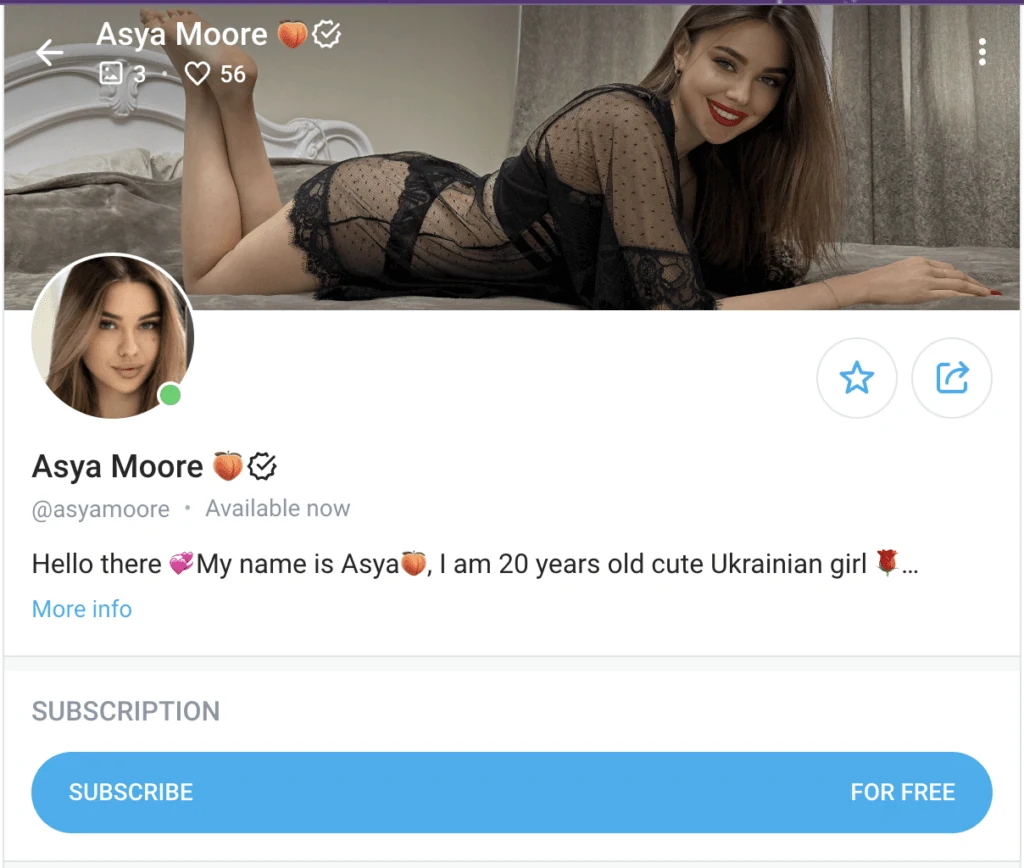
- A free page earns only from PPV and tips. It brings in more fans, but it needs someone answering messages, because that is where all its income is made. Only free pages can charge an entry price for a live stream (from $5).
- A paid page earns from every subscriber each month, plus PPV in messages. Subscribers expect the feed to be worth the price, so keep PPV for content that is clearly extra.
- A "no PPV" page puts everything in the subscription and sends no paid messages.
Neither model earns more on its own; it depends on your audience and how much time you can spend in chats. Many creators pair a free or low-priced page with PPV in messages. Our subscription price guide compares the set-ups.
Fans who never buy, and chargebacks
Every page has fans who want to talk all day and never open a PPV. Make it clear early that content and customs are paid, answer requests with an offer rather than a free preview, and give your longest replies to fans who buy.
Be careful with the opposite case too. OnlyFans' Terms let it deduct your share of a payment if a fan wins a refund or chargeback, even after the content was delivered. The best defence is a PPV no one can call misleading:
- An honest preview and a clear description of what's inside
- No old content sold as new
- Care with brand-new fans who ask for large bundles or customs straight away
- Big items locked behind PPV, never sent first for a promised tip or a screenshot of one
Our guide to OnlyFans chargebacks has real cases and what agencies should do.
Add a tip menu
A pinned tip menu lists what you sell and what it costs, including PPV bundles and customs, so fans can ask without a long negotiation. Items paid as tips have to fit the tip limit: up to $100 for newer fan accounts, $200 after 4 months.
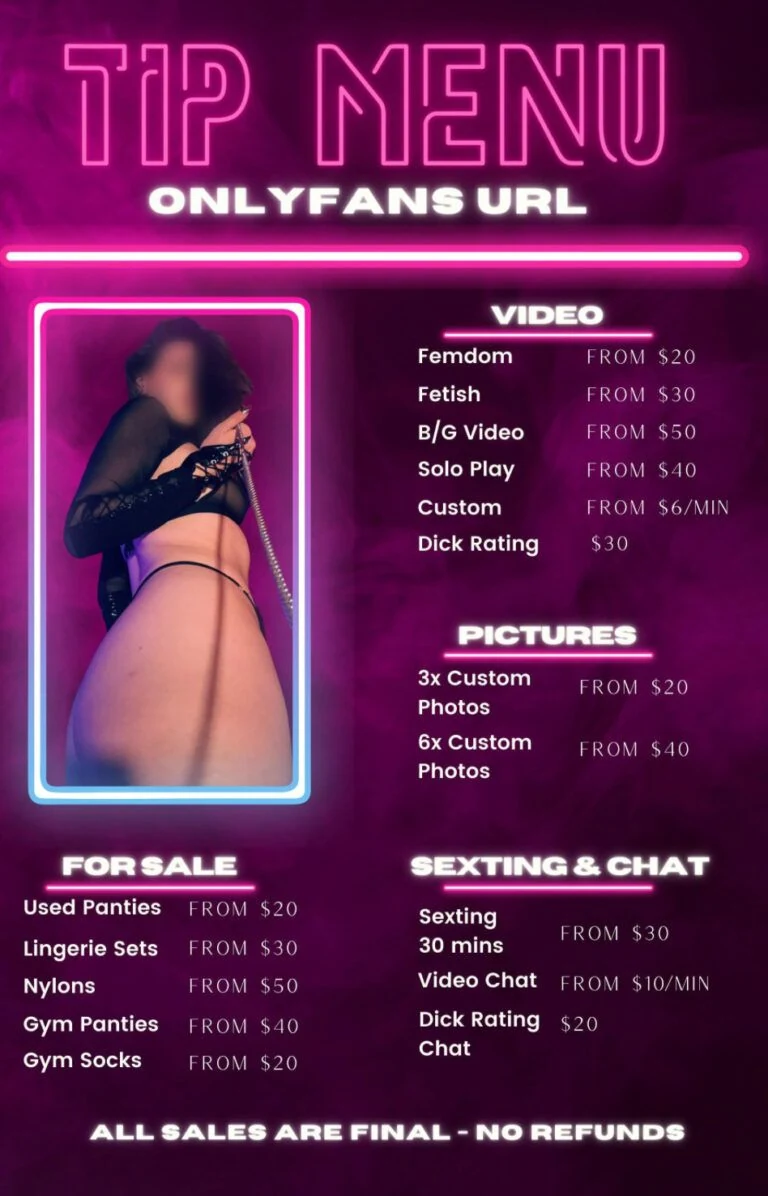
Free layouts and examples are in our OnlyFans menu templates.
For agencies: running PPV across creators
OnlyFans' Terms say that if "a third-party assists you with the management or operation of your Creator account, this does not affect your legal responsibility." Every PPV a chatter sends is the creator's responsibility. That calls for written rules:
- A price list per creator that chatters follow, with who can approve exceptions.
- One owner for each mass send, so two chatters don't send overlapping offers to the same list.
- Shared notes on every fan, so the next shift knows what was offered and bought.
- What can and can't be sold, agreed with the creator, including anything the creator doesn't want offered.
- Sales tracked by chatter, so you can see who sells and who only talks.
For how agencies split this work, see how to manage OnlyFans accounts.
Common OnlyFans PPV mistakes
- Sending the same PPV to fans who already bought it
- Selling content that is also on your feed
- Captions that promise more than the content delivers
- A follow-up after every offer, or a lower price every time
- Only sending offers, with no free messages in between
- No record of who bought what, so every chatter starts from scratch
- Taking payment outside OnlyFans, which its rules ban
Your biggest buyers deserve their own approach; see OnlyFans whales for how to find and keep them.
FAQ
How much should I charge for PPV on OnlyFans?
Anywhere from $3 to $100, OnlyFans' limit for a paid message or post. Price by what's inside and by the fan: a small starter offer for new subscribers, your usual price for fans who have bought before, and your highest prices for customs. Split anything bigger than $100 into parts.
How often should I send PPV on OnlyFans?
OnlyFans doesn't set a number, but its rules ban spam. Send a PPV only when it's new to everyone on the list, and make sure most of what a fan gets from you isn't an offer.
Should I send PPV to new subscribers?
Yes, but small. Start with a welcome message and a low-priced starter offer. Hold back big bundles and customs until a fan has bought before, which also lowers your chargeback risk.
Is PPV or a subscription better on OnlyFans?
They do different jobs. A subscription is steady monthly income from every fan; PPV is extra income from the fans who buy. Most creators use both. A free page relies on PPV and tips alone.
Should I send a mass PPV or message fans one by one?
Both. Use mass messages for new releases to targeted lists, and one-to-one messages for your biggest spenders and fans you're already chatting with.
How do I know which PPV sells best?
Each mass message's statistics show how many fans viewed it and bought it. Compare them by content, price and send time, and keep notes on what each fan buys.
Sources
- OnlyFans Help Center, How much can I charge for a pay to unlock message? and How much can I charge for a pay to unlock post?, read 20 October 2026, as cited in our OnlyFans limits guide
- OnlyFans Help Center, How much can I tip a Creator?, How do I change my daily payment limits? and Payout percentages, read 20 October 2026
- OnlyFans, Terms of Service, last updated October 2026 (third parties managing an account, refunds and chargebacks, 20% fee)
- OnlyFans, Acceptable Use Policy (spamming, sales outside OnlyFans)
- OnlyFans Blog, How to Go Live on OnlyFans, updated April 2025 (paid stream prices)
- OnlyFans, Privacy Policy (moderation and filtering of messages)
- Fenix International Limited, group accounts for the year ended 30 November 2025, Companies House (revenue by source), as summarised in our OnlyFans average income guide